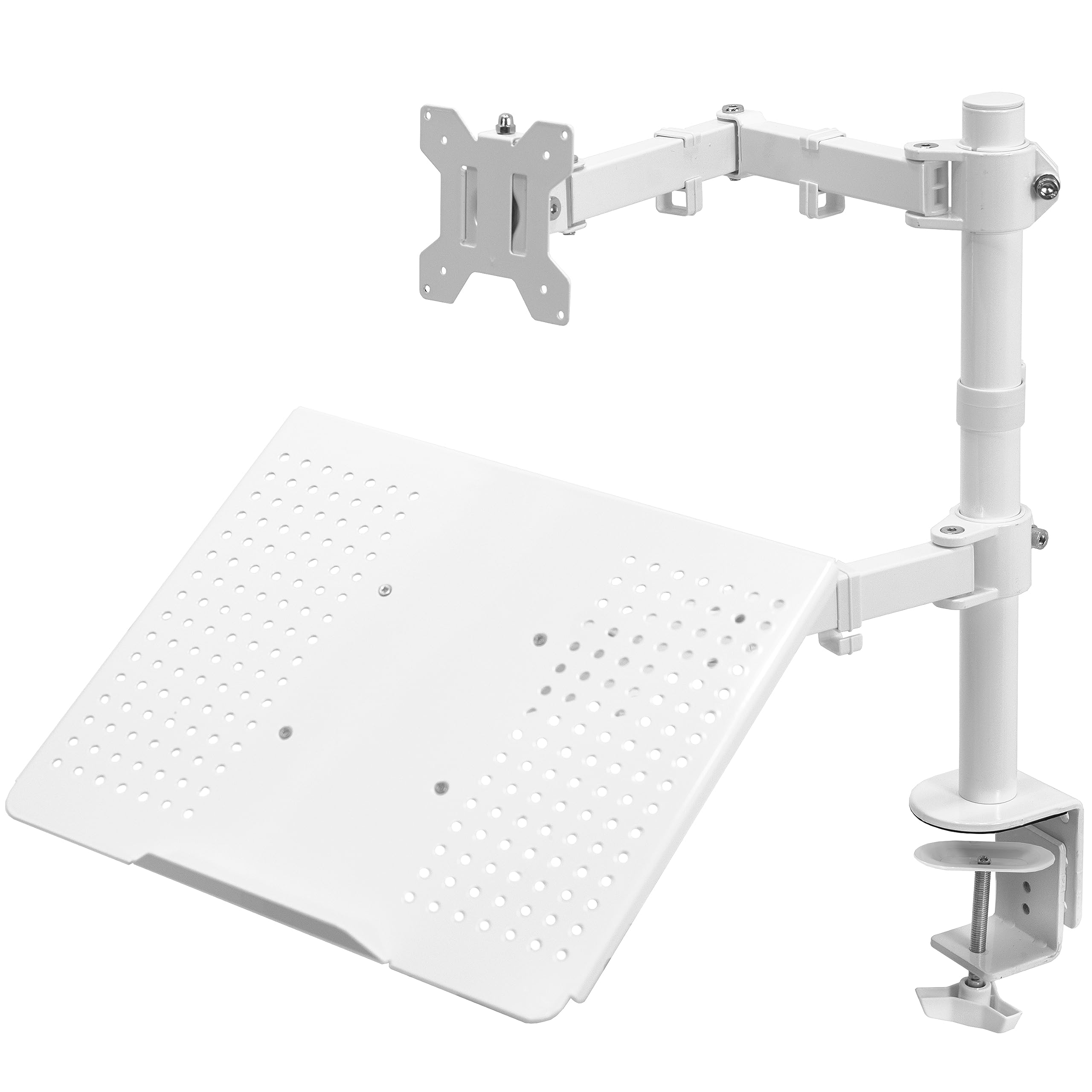
The VIVO Dual Screen Stand combines an articulating arm for one monitor with a vented laptop tray, creating a two-device workspace without requiring two monitor arms.
This VIVO Dual Screen Stand review looks at its screen support, positioning range, desk fit, and the checks worth making before you buy.
VIVO Dual Stand Review Summary
The quick verdict
3,000+ ratings
Read Amazon ReviewsVIVO Dual Screen Stand
A practical fit for desk users who want one monitor and a laptop elevated together, with adjustable positioning and clamp or grommet mounting.
- Supports one 13 to 32 inch monitor weighing up to 22 pounds, with 75x75mm or 100x100mm VESA mounting holes.
- Includes a vented tray for a laptop up to 17 inches.
- Monitor adjustment includes +15° to -15° tilt, 180° swivel, 360° rotation, and height adjustment along the center pole.
- The monitor can be positioned in portrait or landscape orientation.

Pros
- Combines a laptop tray and external monitor arm in one desk-mounted setup.
- Supports a broad monitor size range and two common VESA mounting patterns.
Consider before buying
- The design accommodates one monitor and one laptop, so it is not a dual external-monitor stand.
- Monitor movement is limited to the described tilt and swivel ranges; buyers who need a broader tilt range should compare that requirement before purchasing.
Read the full review summary
This stand is designed for a specific hybrid setup: one VESA-compatible monitor, sized from 13 to 32 inches and weighing up to 22 pounds, alongside a laptop up to 17 inches.
The monitor can tilt, swivel, rotate, and move vertically along the center pole; the laptop rests on a vented tray.
A clamp or optional grommet mount attaches the assembly to the desk, while clips on the arms and pole help organize cables.
It may suit home office users, students, and anyone who regularly switches between a laptop and a larger display and wants to free up some desktop space.
Its usefulness depends on matching the monitor’s weight and VESA pattern, the laptop’s dimensions, and the mounting method to the actual workstation.
It holds one monitor rather than two, so buyers seeking two independent external displays should look at a different layout.
The buying factors
VIVO Dual Stand Scorecard
Editorial scores reflect listed features and buyer fit; they are not laboratory measurements or customer ratings.
Monitor compatibility
Supports monitors from 13 to 32 inches, up to 22 pounds, with 75x75mm or 100x100mm VESA holes.
Laptop integration
The vented tray supports laptops up to 17 inches, pairing a computer with an external monitor on one stand.
Monitor adjustment
Tilt, swivel, full rotation, and height adjustment along the pole allow several viewing positions.
Desk mounting flexibility
A C-clamp fits surfaces up to 3.4 inches thick, with an optional grommet mount for surfaces up to 3 inches.
Cable organization
Detachable clips on the arms and center pole provide a straightforward route for power and AV cables.
Setup practicality
Detachable VESA plates and included assembly hardware are intended to simplify monitor attachment and setup.
Key Features and Specifications of VIVO Dual Stand
- Supports one 13 to 32 inch monitor weighing up to 22 pounds, with 75x75mm or 100x100mm VESA mounting holes.
- Includes a vented tray for a laptop up to 17 inches.
- Monitor adjustment includes +15° to -15° tilt, 180° swivel, 360° rotation, and height adjustment along the center pole.
- The monitor can be positioned in portrait or landscape orientation.
- A heavy-duty C-clamp attaches to desks up to 3.4 inches thick; an optional grommet mount accommodates surfaces up to 3 inches thick.
- Detachable cable clips run along the arms and center pole, and detachable VESA plates help with monitor installation.
Pros and Cons of VIVO Dual Stand
Pros
- Combines a laptop tray and external monitor arm in one desk-mounted setup.
- Supports a broad monitor size range and two common VESA mounting patterns.
- Offers multiple monitor adjustments, including portrait or landscape rotation.
- Includes clamp and optional grommet mounting approaches for different desk layouts.
- Cable clips help route wires along the mount rather than across the work surface.
Consider before buying
- The design accommodates one monitor and one laptop, so it is not a dual external-monitor stand.
- Monitor movement is limited to the described tilt and swivel ranges; buyers who need a broader tilt range should compare that requirement before purchasing.
- Desk compatibility depends on the surface thickness and whether a clamp or grommet installation suits the workstation.
- The laptop tray is sized for devices up to 17 inches, so check the laptop’s dimensions and how it will sit on a tray before deciding.
Who Should Buy VIVO Dual Stand?
Good fit
Consider it if your regular workflow pairs a laptop with a separate monitor and you want to place both on a single desk-mounted stand.
The tray makes the laptop part of the setup, while the monitor arm can be adjusted for portrait or landscape use and positioned along the pole.
This arrangement can be useful for keeping the laptop available for calls, documents, or a second active screen while using the external monitor as the main viewing display.
Before buying, confirm the monitor weighs no more than 22 pounds and has a 75x75mm or 100x100mm VESA pattern.
Check the laptop’s size against the 17-inch tray limit, then measure the desk edge or grommet location and confirm the relevant thickness limit. Those checks help determine whether the stand’s mounting options and combined layout suit your workstation.
Who should skip it
Skip this configuration if you need two external monitors mounted side by side. It provides a monitor arm and a laptop tray, so it is intended for a different arrangement.
Look elsewhere if your monitor exceeds the supported size or weight, lacks the listed VESA pattern, or if your desk cannot accommodate either mounting method. Verify the actual monitor and desk measurements before committing.
How the VIVO Dual Stand fits a laptop-and-monitor desk
A focused two-device arrangement
The stand’s main distinction is that its second platform is for a laptop, not another monitor.
That makes it relevant for a user who wants a laptop and external display together, while leaving less flexibility for a workstation built around two external screens.
Think through which device will be used for primary viewing and whether the laptop tray’s fixed placement works for the way you open and use the computer.
Monitor positioning for changing tasks
The monitor can tilt up or down by 15 degrees, swivel through 180 degrees, and rotate through 360 degrees, with height adjustment along the pole.
This allows the screen to be reoriented for portrait reading or landscape viewing and shifted to suit different tasks.
If frequent changes in screen position are central to your setup, consider whether the specified movement range meets those needs.
Mounting and desk fit
A clamp installation is listed for surfaces up to 3.4 inches thick, while the optional grommet approach is listed for surfaces up to 3 inches thick.
Measure the desk where the mount will attach, not just at an unrelated edge, and check whether a grommet opening or clamp position is practical.
The mount is intended for tabletop installation, so its fit depends on the structure and layout of the desk.
Compatibility is a combination of measurements
Monitor size alone does not establish a fit: the monitor must also stay within the 22-pound limit and have one of the supported VESA patterns. The laptop tray has its own upper size limit of 17 inches.
Confirming both devices and the available mounting space before purchase gives a clearer picture of whether the combined stand will suit your desk.
Alternatives to VIVO Dual Stand
Computer Monitor Arms alternative
60,000+ ratings
Read Amazon ReviewsVIVO STAND-V002 Dual Monitor Desk Mount
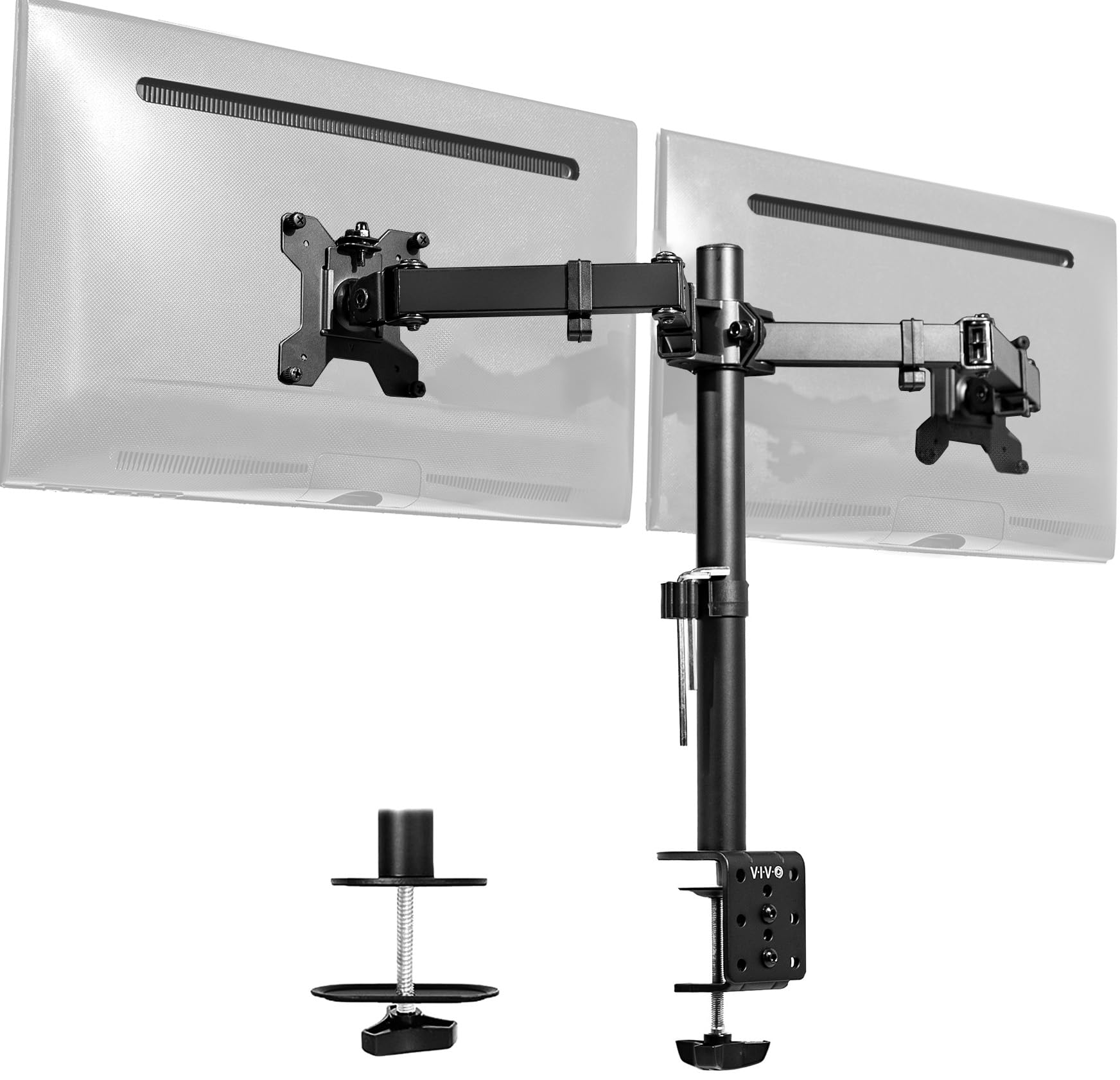
Choose the Dual Screen Stand for a laptop-plus-monitor arrangement. The STAND-V002 is a closer fit if you want two external monitors and do not need a laptop tray.
- The STAND-V002 supports two monitors from 13 to 30 inches, up to 22 pounds each, and offers tilt, swivel, rotation, and height adjustment.
- It mounts with a C-clamp or optional grommet.
- The VIVO Dual Screen Stand supports one monitor and provides a tray for a laptop, with the monitor sized up to 32 inches and weighing up to 22 pounds.
Computer Monitor Arms alternative
34,000+ ratings
Read Amazon ReviewsHUANUO FlowLift Dual Monitor Stand
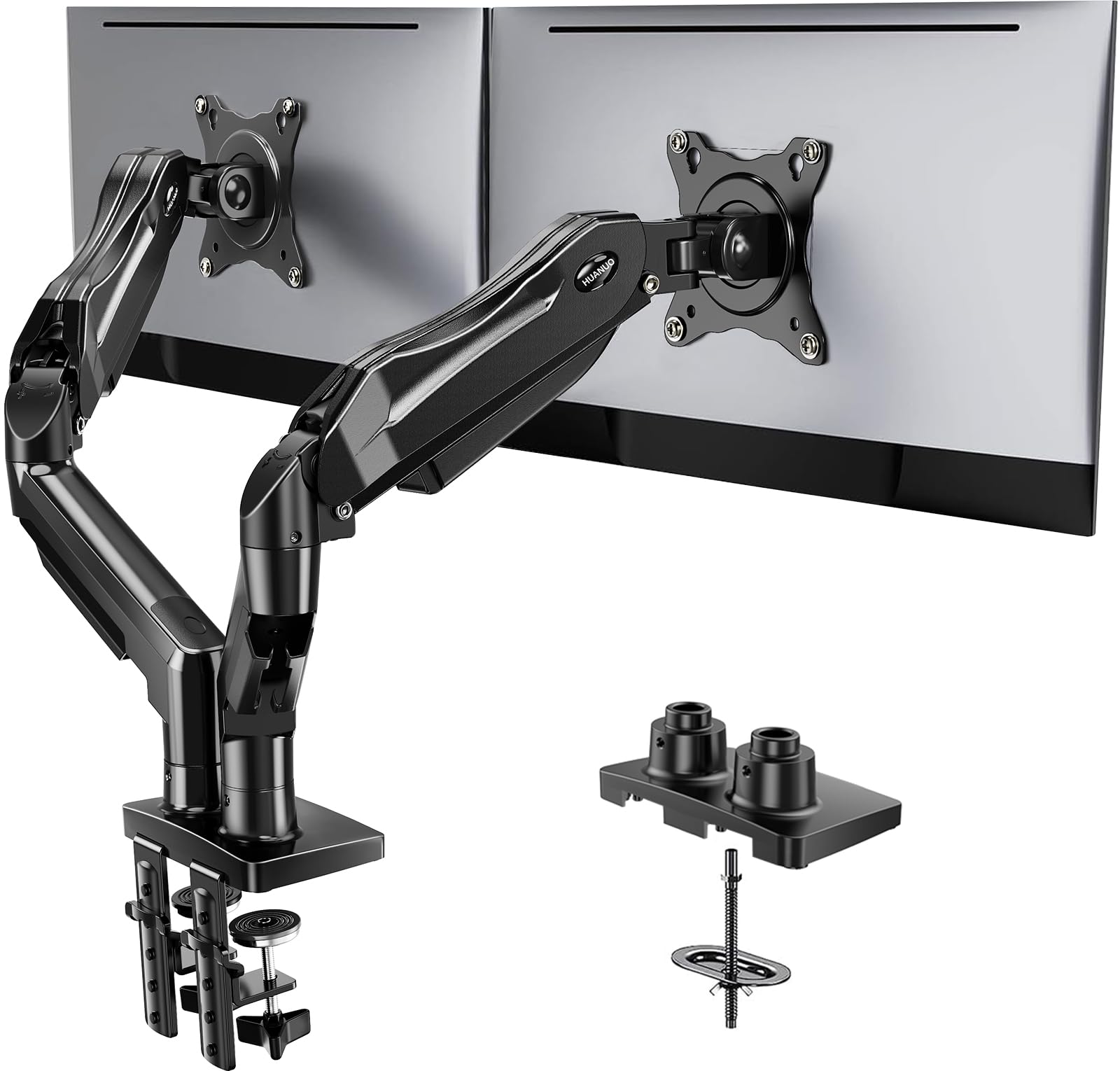
The VIVO is oriented toward a laptop and monitor together. The FlowLift suits a two-monitor layout and specifies a wider tilt range, provided both screens and the desk meet its stated compatibility conditions.
- The HUANUO FlowLift supports two monitors from 13 to 32 inches, each weighing 4.4 to 19.8 pounds, with 75x75mm or 100x100mm VESA patterns.
- Its arms offer +85°/-50° tilt, ±90° swivel, and 360° rotation; its desk fit has material and clearance conditions.
- The VIVO Dual Screen Stand pairs one monitor arm with a laptop tray and supports monitor screens up to 32 inches and 22 pounds.
Is VIVO Dual Stand Worth It?
The VIVO Dual Screen Stand is worth considering if you want a desk-mounted setup for one external monitor and one laptop.
Its monitor adjustments, cable clips, and choice of clamp or optional grommet mounting make it a practical configuration for a mixed-device workspace.
Confirm the VESA pattern, monitor weight, laptop size, and desk mounting fit before choosing it.
If you need two external monitors, this layout does not match that need; if your measurements do fit and a laptop tray is useful, it offers a clear, purpose-built arrangement.
Your review at a glance
3,000+ ratings
Read Amazon ReviewsVIVO Dual Screen Stand
A practical fit for desk users who want one monitor and a laptop elevated together, with adjustable positioning and clamp or grommet mounting.
- Supports one 13 to 32 inch monitor weighing up to 22 pounds, with 75x75mm or 100x100mm VESA mounting holes.
- Includes a vented tray for a laptop up to 17 inches.
- Monitor adjustment includes +15° to -15° tilt, 180° swivel, 360° rotation, and height adjustment along the center pole.
- The monitor can be positioned in portrait or landscape orientation.