This tp link tl sg105 switch review looks at a compact, unmanaged option for adding wired connections to a home network or desk setup.
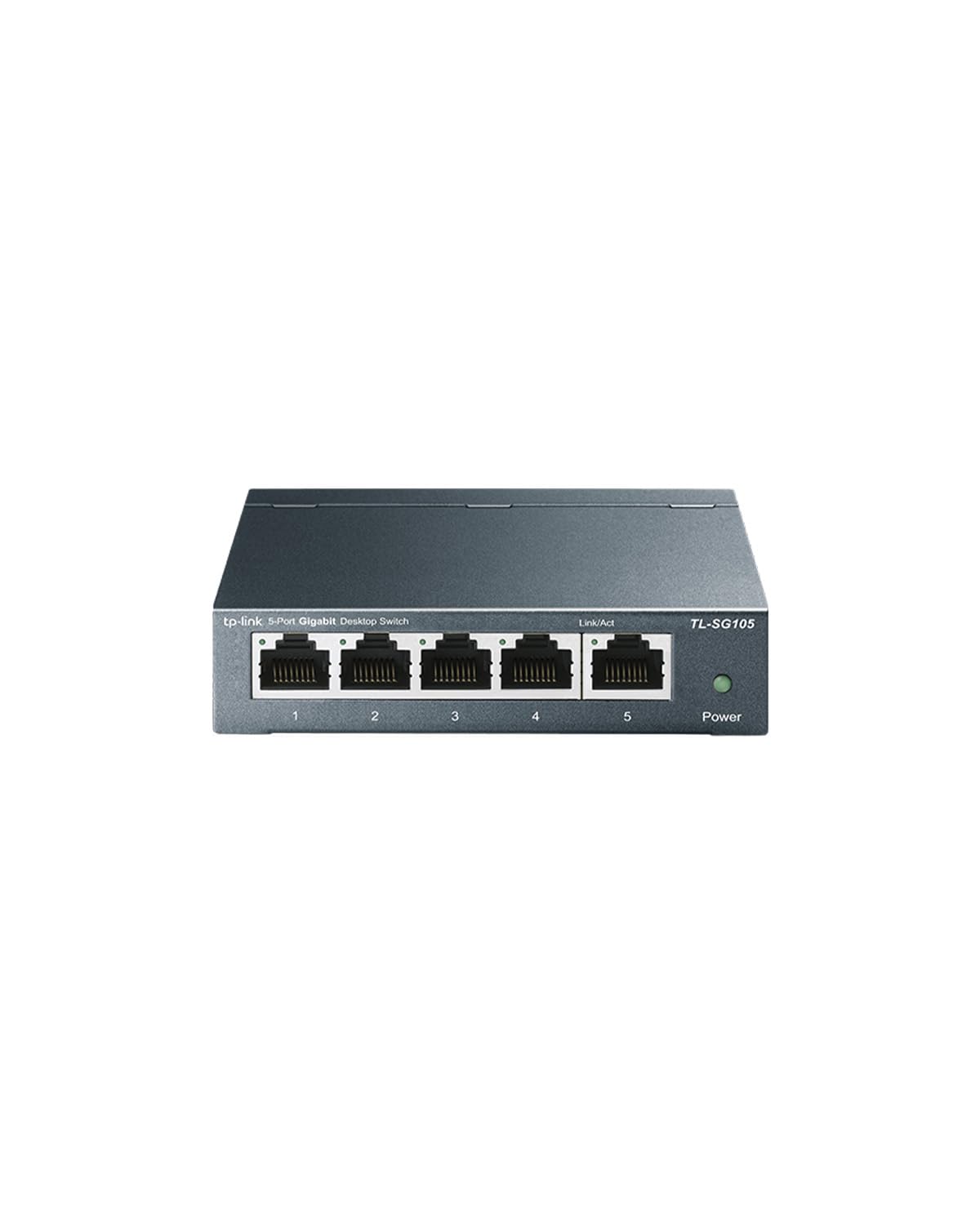
Five Gigabit Ethernet ports, a fanless metal case, and plug-and-play setup make it easy to consider for everyday network expansion.
TP-Link TL-SG105 Review Summary
The quick verdict
130,000+ ratings
Read Amazon ReviewsTP-Link TL-SG105
A practical choice for adding wired connections to a home or small workspace where quiet operation and straightforward setup matter.
- Five RJ45 Ethernet ports support 10/100/1000 Mbps connections.
- Auto-negotiation and Auto MDI/MDIX support flexible Ethernet connections.
- Plug-and-play setup needs no software installation or configuration.
- Port-based 802.1p/DSCP QoS can prioritize traffic, and IGMP Snooping is included.

Pros
- Adds five wired network ports in a straightforward unmanaged design.
- Gigabit Ethernet capability supports connections up to 1000 Mbps per port, subject to the rest of the network and connected devices.
Consider before buying
- Five ports may be limiting if you need to connect many devices or expect the network to grow.
- The unmanaged design does not provide the configuration control needed for tasks such as setting up managed network policies.
Read the full review summary
The TL-SG105 is designed to give a router or existing wired network five Ethernet ports for connecting devices such as computers, TVs, or other network equipment.
Its 10/100/1000 Mbps ports support auto-negotiation and Auto MDI/MDIX, while its unmanaged design avoids a software setup process.
Its strongest fit is a buyer who needs extra wired ports without a complex configuration step.
The metal enclosure, fanless design, desktop or wall-mounting options, and traffic-prioritization features add flexibility, though this model is not a substitute for a managed switch or a PoE source.
The buying factors
TP-Link TL-SG105 Scorecard
Editorial scores reflect listed features and buyer fit; they are not laboratory measurements or customer ratings.
Port capacity
Five Gigabit Ethernet ports suit a modest expansion, though larger setups may need more connections.
Setup simplicity
Plug-and-play operation requires no software installation or configuration.
Link flexibility
Auto-negotiation and Auto MDI/MDIX help it connect with compatible Ethernet devices.
Traffic features
Port-based 802.1p/DSCP QoS and IGMP Snooping support traffic handling for voice, video, and multicast use.
Placement options
The fanless metal case is designed for desktop or wall-mounted placement.
Advanced control
An unmanaged switch keeps setup simple but offers less hands-on network configuration.
Key Features and Specifications of TP-Link TL-SG105
- Five RJ45 Ethernet ports support 10/100/1000 Mbps connections.
- Auto-negotiation and Auto MDI/MDIX support flexible Ethernet connections.
- Plug-and-play setup needs no software installation or configuration.
- Port-based 802.1p/DSCP QoS can prioritize traffic, and IGMP Snooping is included.
- IEEE 802.3X flow control is intended to support reliable data transfer.
- Fanless metal enclosure supports quiet operation and desktop or wall-mount placement.
Pros and Cons of TP-Link TL-SG105
Pros
- Adds five wired network ports in a straightforward unmanaged design.
- Gigabit Ethernet capability supports connections up to 1000 Mbps per port, subject to the rest of the network and connected devices.
- Fanless design avoids adding a switch fan to the room.
- QoS and IGMP Snooping provide useful traffic-handling features for a basic switch.
Consider before buying
- Five ports may be limiting if you need to connect many devices or expect the network to grow.
- The unmanaged design does not provide the configuration control needed for tasks such as setting up managed network policies.
- The listed design does not provide PoE; check the power requirements of any device you plan to connect.
Who Should Buy TP-Link TL-SG105?
Good fit
Consider the TL-SG105 if your router is short on Ethernet connections and you want a small switch that can sit near your desk or be mounted on a wall.
The five-port layout can serve a compact set of wired devices, and the fanless metal enclosure suits locations where you want to avoid fan noise.
It is also worth considering when basic traffic prioritization is useful but extensive network administration is not. QoS and IGMP Snooping add capabilities beyond simple port expansion, while the unmanaged setup keeps installation uncomplicated.
Who should skip it
Look elsewhere if the network needs centrally managed settings, VLAN configuration, or other controls that require a managed switch.
Also check port count and power needs first if you are adding several devices or require Ethernet power for an access point or camera.
How the TP-Link TL-SG105 fits a small wired network
Five ports for practical expansion
A five-port switch is useful when a router has too few available Ethernet connections for a small group of wired devices.
One connection will typically link the switch into the existing network, leaving the remaining ports for connected equipment; count the ports your setup needs before choosing this size.
Gigabit links and the rest of the network
Each port supports 10/100/1000 Mbps with auto-negotiation. That gives compatible gigabit devices room to connect at their supported link rate, but actual transfer speeds depend on the connected equipment, cabling, network path, and service or local workload.
Traffic handling without a management interface
Port-based 802.1p/DSCP QoS and IGMP Snooping can help prioritize or handle selected traffic, including voice and video data.
These features do not turn the switch into a fully managed device, so buyers who need to define detailed network policies should confirm that an unmanaged design meets their requirements.
Quiet placement and power considerations
A fanless metal case is a sensible choice for a desk, media area, or other space where fan noise would be distracting.
The desktop and wall-mount design gives placement flexibility; before installation, check that the available power supply and the connected devices suit your setup, especially if any endpoint needs PoE.
Alternatives to TP-Link TL-SG105
No alternative model is recommended here. Compare the design and features that matter to your routine before choosing another option.
Is TP-Link TL-SG105 Worth It?
The TP-Link TL-SG105 is worth considering when you need a small, quiet, no-configuration way to add a handful of wired Gigabit Ethernet connections. Its five ports and traffic features suit basic home or workspace expansion.
Choose it only if an unmanaged switch and separate device power fit your needs. Buyers needing more ports, detailed network control, or PoE should check those requirements before deciding.
Your review at a glance
130,000+ ratings
Read Amazon ReviewsTP-Link TL-SG105
A practical choice for adding wired connections to a home or small workspace where quiet operation and straightforward setup matter.
- Five RJ45 Ethernet ports support 10/100/1000 Mbps connections.
- Auto-negotiation and Auto MDI/MDIX support flexible Ethernet connections.
- Plug-and-play setup needs no software installation or configuration.
- Port-based 802.1p/DSCP QoS can prioritize traffic, and IGMP Snooping is included.