This sabrent usb hub review looks at the HB-6PNV, a USB-C hub that combines display, network, peripheral, charging, and expandable storage connections.
It suits laptop users who want to reduce adapters and are comfortable supplying and installing a compatible M.2 drive.
SABRENT HB-6PNV Review Summary
The quick verdict
188,000+ ratings
Read Amazon ReviewsSABRENT HB-6PNV USB-C Hub
A practical choice for laptop users who want everyday ports, one external display, wired Ethernet, and an M.2 drive in one compact hub.
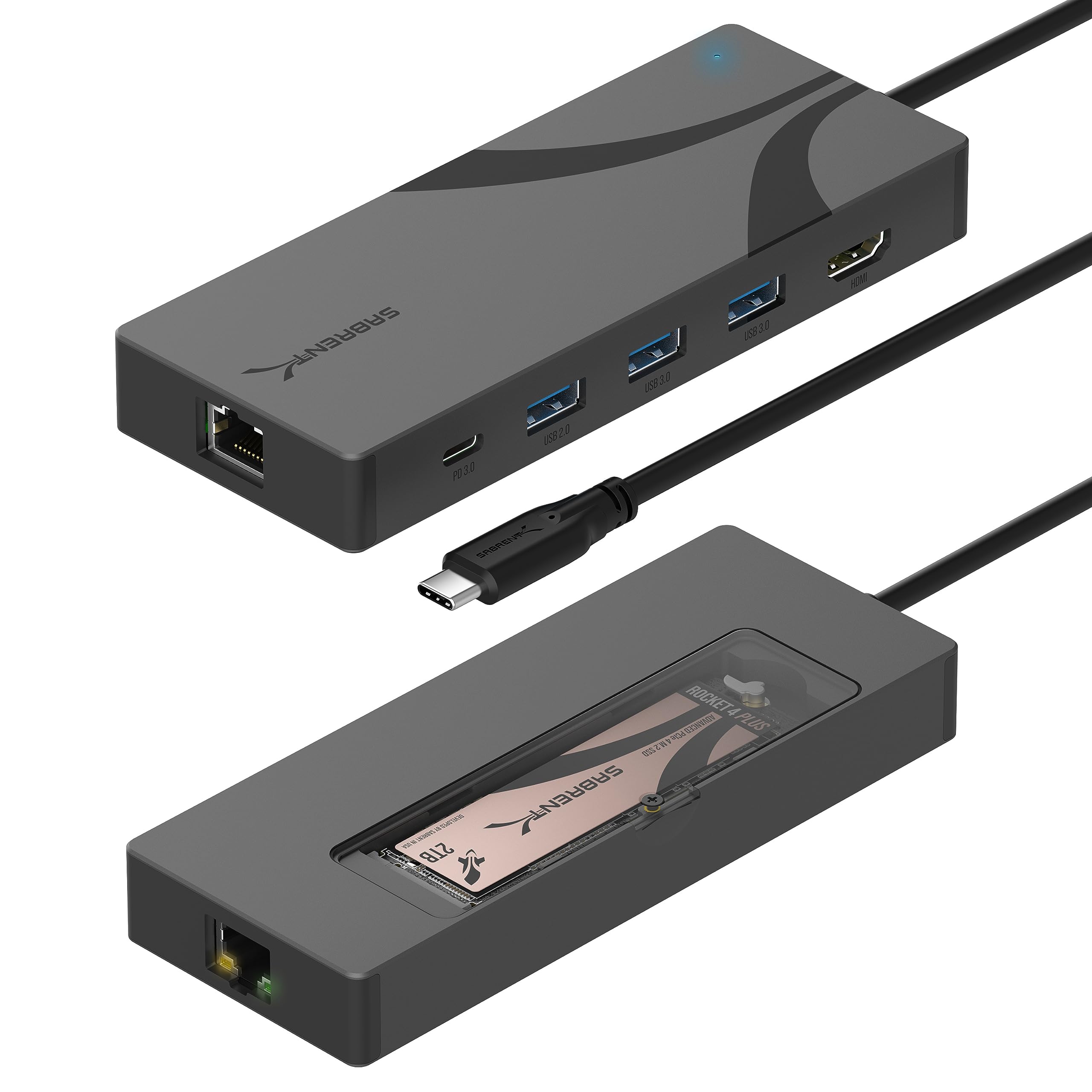
- Six USB ports, alongside HDMI 2.0, RJ45 Gigabit Ethernet, and an internal M.2 SSD enclosure.
- M.2 slot supports NVMe and SATA drives in 2242, 2260, and 2280 form factors; the drive is sold separately.
- The M.2 connection supports up to 5Gbps, while the integrated USB-C host connection supports 10Gbps.
- Two USB Type-A ports support up to 5Gbps at 5V/900mA; a third USB Type-A port supports USB 2.0 speeds up to 480Mbps.

Pros
- Combines storage expansion, video output, wired networking, and USB connections in one unit.
- Supports both NVMe and SATA M.2 drives across 2242, 2260, and 2280 lengths.
Consider before buying
- The M.2 slot tops out at 5Gbps, which may limit the benefit of a faster NVMe drive.
- The hub does not include an M.2 drive or USB-C power adapter.
Read the full review summary
The HB-6PNV brings together six USB ports, an HDMI output, Gigabit Ethernet, and an internal M.2 NVMe or SATA slot in a single aluminum unit.
That mix can make a laptop desk setup simpler: one integrated USB-C cable connects the hub, while a separate USB-C charger can pass power through to the host.
Its most useful distinction is the built-in storage slot, though the drive connection is limited to up to 5Gbps rather than the full speed of many modern NVMe drives.
The hub also has specific display and drive requirements, so it fits best when your computer supports USB-C DisplayPort Alternate Mode and your drive is 2242, 2260, or 2280.
The buying factors
SABRENT HB-6PNV Scorecard
Editorial scores reflect listed features and buyer fit; they are not laboratory measurements or customer ratings.
Connection range
Six USB ports, HDMI, Gigabit Ethernet, and an M.2 slot cover several common laptop expansion needs.
Built-in storage option
The enclosure supports M.2 NVMe and SATA drives in three common lengths, with a thermal pad and included fastening hardware.
Drive transfer ceiling
The M.2 slot supports up to 5Gbps, so the hub does not expose the full rated speed of a modern NVMe drive.
Display flexibility
HDMI supports one display at up to 4K at 60Hz, provided the host USB-C port supports DisplayPort Alternate Mode.
Host charging support
USB Power Delivery passes up to 90W to the connected host, but the buyer supplies the charger.
USB-A port mix
Two ports support 5Gbps transfers and one is USB 2.0; that slower port is better suited to basic peripherals.
Key Features and Specifications of SABRENT HB-6PNV
- Six USB ports, alongside HDMI 2.0, RJ45 Gigabit Ethernet, and an internal M.2 SSD enclosure.
- M.2 slot supports NVMe and SATA drives in 2242, 2260, and 2280 form factors; the drive is sold separately.
- The M.2 connection supports up to 5Gbps, while the integrated USB-C host connection supports 10Gbps.
- Two USB Type-A ports support up to 5Gbps at 5V/900mA; a third USB Type-A port supports USB 2.0 speeds up to 480Mbps.
- HDMI 2.0 supports one external display at up to 4K resolution and 60Hz, with DisplayPort Alternate Mode support required from the host.
- USB PD 3.0 passes through up to 90W from a separately supplied USB-C charger to the connected laptop or tablet.
- The aluminum body includes a thermal pad for the M.2 drive; the box includes an M.2 rubber fastener, heatsink screw, screwdriver, and manual.
Pros and Cons of SABRENT HB-6PNV
Pros
- Combines storage expansion, video output, wired networking, and USB connections in one unit.
- Supports both NVMe and SATA M.2 drives across 2242, 2260, and 2280 lengths.
- Offers a 10Gbps host connection and up to 5Gbps on two USB-A ports.
- Passes up to 90W of USB Power Delivery to the host when paired with a suitable charger.
- Aluminum construction and an integrated thermal pad support a compact, all-in-one storage setup.
Consider before buying
- The M.2 slot tops out at 5Gbps, which may limit the benefit of a faster NVMe drive.
- The hub does not include an M.2 drive or USB-C power adapter.
- Only one HDMI display output is provided, and video depends on DisplayPort Alternate Mode support from the host.
- One of the three USB-A ports is limited to USB 2.0 speeds.
Who Should Buy SABRENT HB-6PNV?
Good fit
Consider the HB-6PNV if you routinely connect a laptop to a wired network or external monitor and also want local storage without adding a separate enclosure.
The combined setup can be especially convenient for a desk where one USB-C connection handles the hub’s data and display links while a charger powers the host through the hub.
It can also make sense for users who have, or plan to buy, a compatible M.2 NVMe or SATA drive for photos, project files, and backups.
Check the drive’s length before purchasing, and weigh whether a 5Gbps storage connection is fast enough for your typical transfers.
Before choosing it, confirm that your laptop’s USB-C port supports DisplayPort Alternate Mode if you need HDMI video. Bring a compatible USB-C PD charger if you want pass-through charging, since the hub itself does not include one.
Who should skip it
Skip this design if your priority is exposing the full performance of a high-speed NVMe drive; the internal slot supports up to 5Gbps.
A standalone enclosure with a faster drive interface may be a better match for that particular need.
Look elsewhere if you need two external HDMI displays, a built-in SD or microSD reader, or a hub with more than three USB-A ports.
The HB-6PNV is organized around a mixed set of laptop connections rather than a large bank of matching ports.
How the SABRENT HB-6PNV Fits a Laptop Setup
A hub that doubles as a drive enclosure
The internal M.2 slot is the feature that most changes the hub’s role. Rather than connecting a separate external drive enclosure, you can fit a compatible NVMe or SATA drive inside the aluminum body.
The 2242, 2260, and 2280 sizes cover several common M.2 lengths, but buyers should check the exact form factor before ordering. The included fastener, screw, and screwdriver address the physical installation, while the drive remains a separate purchase.
Speed depends on which connection you use
The numbers differ by link: the hub connects to the computer at 10Gbps, the M.2 slot supports up to 5Gbps, and two USB-A ports also support up to 5Gbps.
The third USB-A port is USB 2.0, which is a reasonable place for a keyboard or mouse but less suitable for frequent large-file transfers.
For a storage workflow, the hub’s 5Gbps ceiling is the practical limit to consider, even if the installed drive itself is capable of more.
Check video compatibility and charging needs
The HDMI 2.0 connection can handle one display at up to 4K and 60Hz, but USB-C alone does not guarantee video output.
The laptop’s port must support DisplayPort Alternate Mode, so check the computer’s specifications if you are unsure.
Charging follows a separate path: connect your own USB-C charger to the hub and up to 90W can pass to the host.
The USB-A ports’ listed output is 5V/900mA, so this is not a high-output charging station for multiple devices.
A compact mix rather than a port bank
At 5.5 by 2.2 by 0.8 inches and 136 grams, the HB-6PNV is designed to combine several connection types without the footprint of a larger powered hub.
Its mix is useful for a laptop desk or travel kit where HDMI and Ethernet matter along with a few USB accessories. However, it offers just three USB-A ports and one HDMI output.
Buyers with many peripherals, multiple displays, or card-reader needs should prioritize those requirements when comparing hub designs.
Alternatives to SABRENT HB-6PNV
USB Hubs alternative
2,000+ ratings
Read Amazon ReviewsSABRENT HB-MC3B 4-Port USB 3.0 Hub
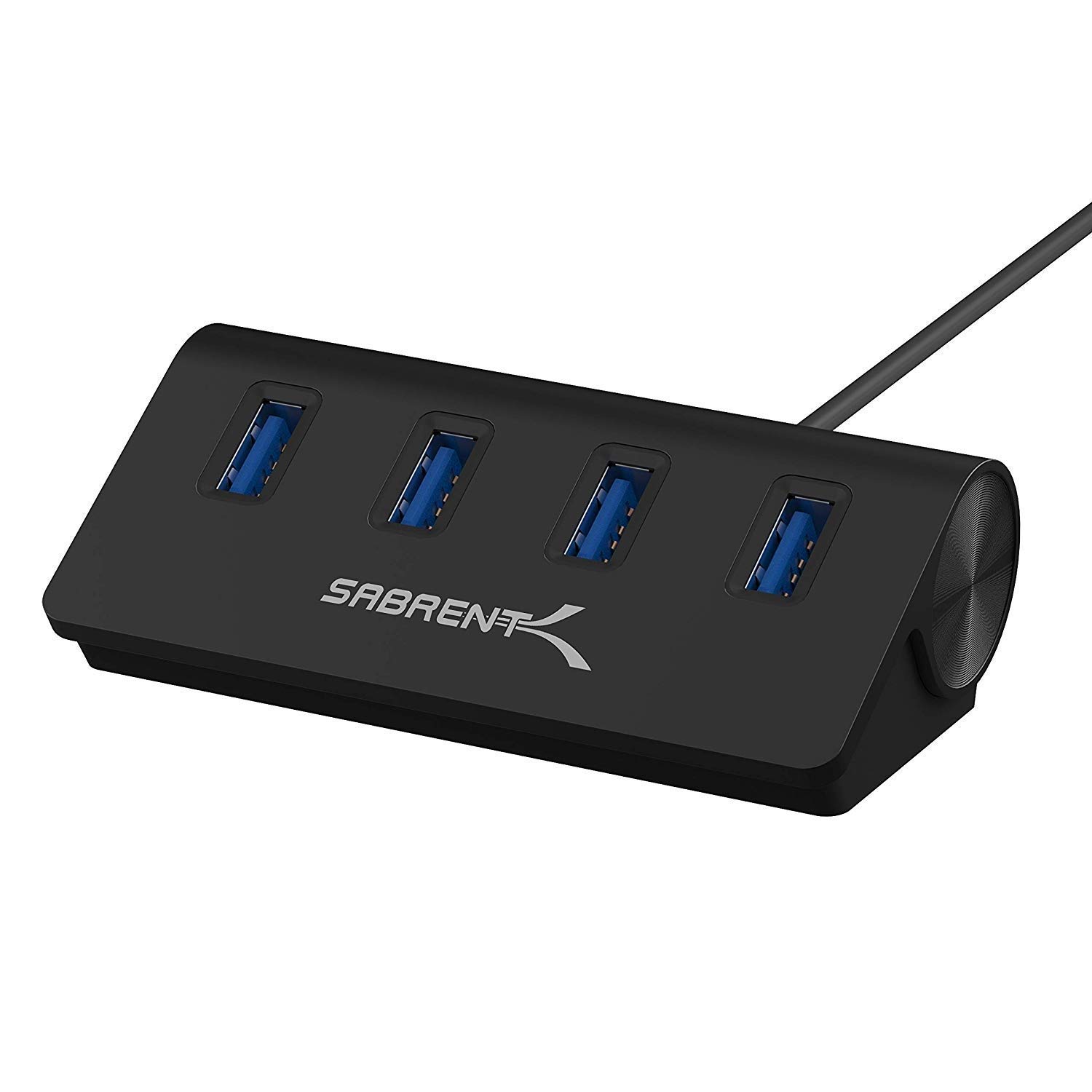
Choose the HB-MC3B if your main need is a straightforward four-port USB-A expansion hub with a longer cable. The HB-6PNV is the more fitting option when built-in M.2 storage, HDMI, Ethernet, or USB-C power pass-through matter.
- The HB-MC3B is a four-port USB 3.0 hub with an aluminum enclosure and a 2.5-foot USB 3.0 cable; it supports transfer speeds up to 5Gbps and is backward compatible with USB 2.0 and USB 1.1.
- The HB-6PNV combines an M.2 drive enclosure, HDMI, Gigabit Ethernet, and USB ports, with up to 5Gbps available on its M.2 slot.
USB Hubs alternative
6,000+ ratings
Read Amazon ReviewsSABRENT HB-B7C3 10-Port Powered USB 3.0 Hub
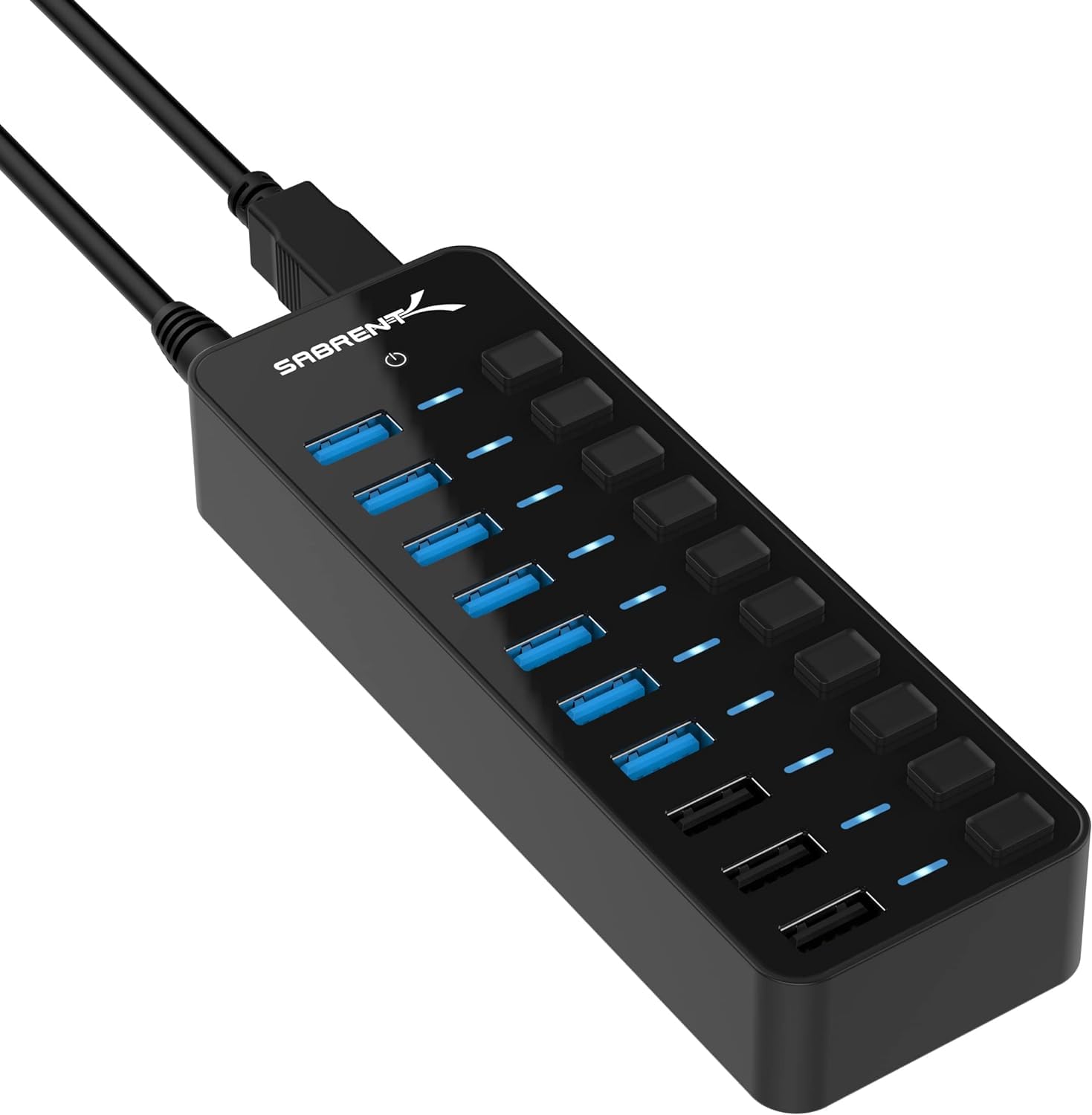
Consider the HB-B7C3 if connecting and controlling a larger collection of USB devices is the priority, or if a supplied power adapter and dedicated charging ports are useful.
The HB-6PNV better suits a laptop user who needs HDMI, Ethernet, and an internal M.2 drive slot.
- The HB-B7C3 supports up to seven USB 3.0 devices at once, has individual switches and LEDs, includes a 60W power adapter, and provides three dedicated smart-charging ports.
- The HB-6PNV offers several connection types in a compact hub, but includes only three USB-A ports and does not include a power adapter.
Is SABRENT HB-6PNV Worth It?
The SABRENT HB-6PNV is worth considering when one compact hub needs to cover storage, a single external display, wired networking, and everyday USB connections.
Its M.2 enclosure and 90W host pass-through make it a flexible laptop companion, provided you already have a compatible drive and charger.
Buy it for the combination of connections, not for maximum NVMe throughput or a large number of USB-A ports.
Confirm your computer supports DisplayPort Alternate Mode if HDMI matters, and check that the drive is one of the supported M.2 lengths.
Your review at a glance
188,000+ ratings
Read Amazon ReviewsSABRENT HB-6PNV USB-C Hub
A practical choice for laptop users who want everyday ports, one external display, wired Ethernet, and an M.2 drive in one compact hub.
- Six USB ports, alongside HDMI 2.0, RJ45 Gigabit Ethernet, and an internal M.2 SSD enclosure.
- M.2 slot supports NVMe and SATA drives in 2242, 2260, and 2280 form factors; the drive is sold separately.
- The M.2 connection supports up to 5Gbps, while the integrated USB-C host connection supports 10Gbps.
- Two USB Type-A ports support up to 5Gbps at 5V/900mA; a third USB Type-A port supports USB 2.0 speeds up to 480Mbps.