The SABRENT USB-C & USB-A SD/Micro SD Card Reader review is for anyone who wants one compact adapter to read common full-size and microSD cards across newer USB-C devices and traditional USB-A ports.
Its dual-slot, plug-and-play design covers everyday transfers, while compatibility details are worth checking for your particular device.
SABRENT Card Reader Review Summary
The quick verdict
2,000+ ratings
Read Amazon ReviewsSABRENT USB-C & USB-A SD/Micro SD Card Reader
A practical pick for transferring camera and device files between USB-C and USB-A computers or compatible Android devices.
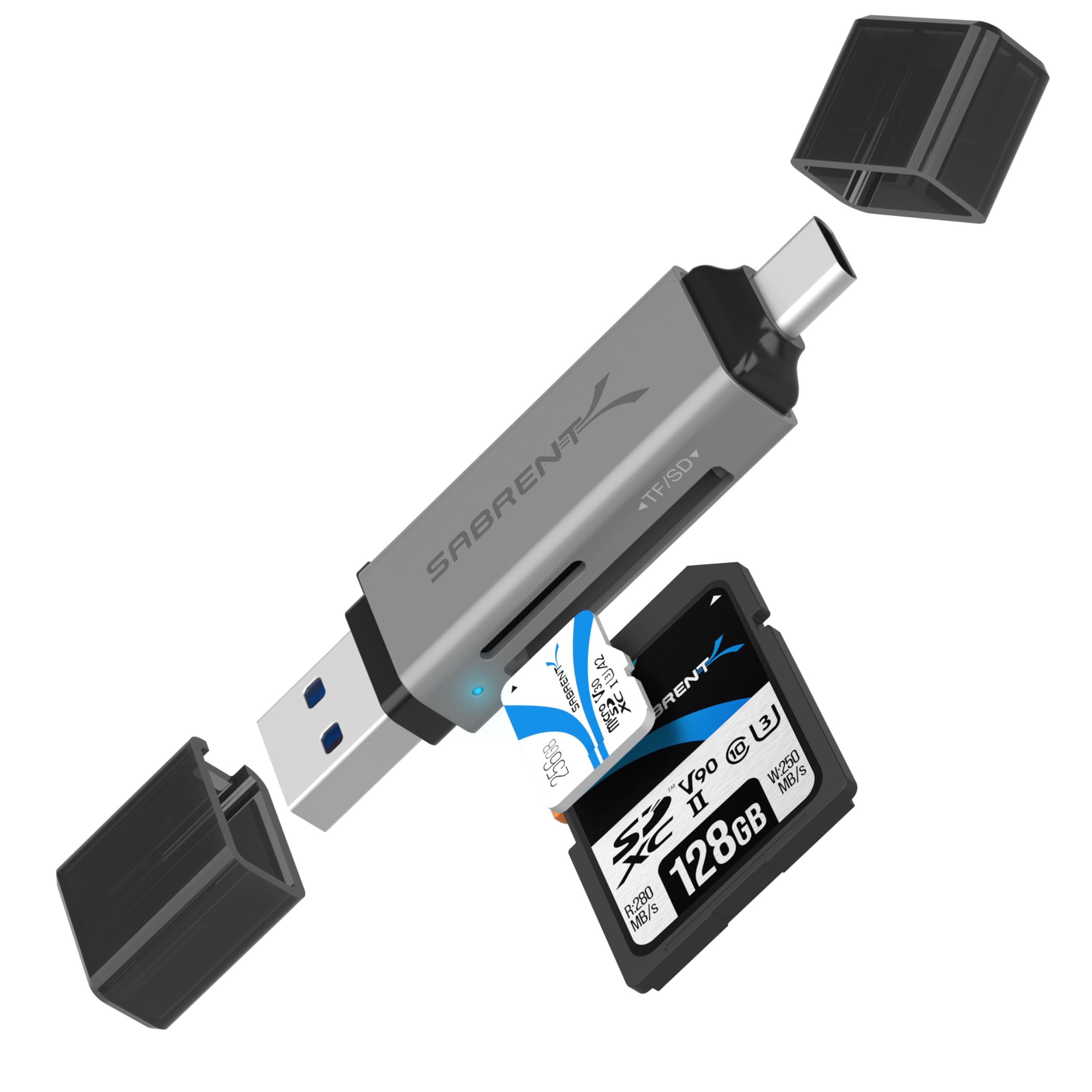
- USB-C and USB-A connections for use with modern USB-C devices and traditional USB-A ports.
- Dual slots read SD, SDHC, SDXC, microSD, microSDHC, and microSDXC cards.
- USB 3.0 interface offers transfer speeds up to 5Gbps and works with USB 2.0 hosts.
- Plug-and-play operation requires no driver or software installation.

Pros
- Two connector types make it easier to move files among devices with different USB ports.
- Supports common SD and microSD card generations in one reader.
Consider before buying
- The up-to 5Gbps interface figure is a maximum; actual transfers depend on the card, host, files, and connection.
- Android support is limited to compatible devices, so confirm your device can access external card readers.
Read the full review summary
The CR-BCA2 combines USB-C and USB-A connections with slots for SD and microSD card families, making it useful when files move between different computers or supported Android devices.
Its USB 3.0 interface is rated for up to 5Gbps, and it can also work with USB 2.0 hosts, so the design accommodates newer and older ports.
This is a straightforward choice for photographers, travelers, and everyday users who want a small reader for camera cards, dash-cam cards, or general file access.
The main tradeoff is that the description does not specify device-by-device compatibility or card-slot behavior when both slots are occupied; check those details if your workflow depends on a particular phone, card, or simultaneous access.
The buying factors
SABRENT Card Reader Scorecard
Editorial scores reflect listed features and buyer fit; they are not laboratory measurements or customer ratings.
Connection flexibility
USB-C and USB-A connectors cover both newer and traditional host ports.
Card format coverage
The listed SD and microSD families cover widely used full-size and smaller cards.
Transfer interface
USB 3.0 supports up to 5Gbps, with USB 2.0 backward compatibility.
Setup simplicity
The plug-and-play design requires no drivers or software.
Portability
A lightweight, compact form and built-in activity LED suit travel and daily carry.
Device-specific clarity
Compatible Android devices are mentioned, but compatibility is not enumerated by model.
Key Features and Specifications of SABRENT Card Reader
- USB-C and USB-A connections for use with modern USB-C devices and traditional USB-A ports.
- Dual slots read SD, SDHC, SDXC, microSD, microSDHC, and microSDXC cards.
- USB 3.0 interface offers transfer speeds up to 5Gbps and works with USB 2.0 hosts.
- Plug-and-play operation requires no driver or software installation.
- Listed support includes Windows, macOS, and compatible Android devices.
- Compact, lightweight design includes a built-in LED activity indicator.
Pros and Cons of SABRENT Card Reader
Pros
- Two connector types make it easier to move files among devices with different USB ports.
- Supports common SD and microSD card generations in one reader.
- USB 3.0 capability provides a higher interface ceiling than USB 2.0, where the host and card can support it.
- No driver installation simplifies occasional use on compatible systems.
- Small form factor and activity light are useful for a portable transfer tool.
Consider before buying
- The up-to 5Gbps interface figure is a maximum; actual transfers depend on the card, host, files, and connection.
- Android support is limited to compatible devices, so confirm your device can access external card readers.
- The description does not clarify whether both card slots can be accessed at once, which may matter for card-to-card workflows.
Who Should Buy SABRENT Card Reader?
Good fit
Consider the SABRENT USB-C & USB-A SD/Micro SD Card Reader if you regularly transfer photos, video, or other files from SD or microSD cards and use a mix of USB-C and USB-A equipment.
Having both connector types in one compact reader can reduce the need to keep separate adapters for different computers.
It is also a sensible fit for users who want a simple plug-in tool rather than a reader that requires setup.
The listed Windows and macOS support, plus compatibility with some Android devices, gives it a broad role for everyday file access; check your exact Android model and card format before relying on it for a trip or time-sensitive transfer.
The USB 3.0 interface makes the reader appealing when the card and host can take advantage of faster transfers.
Treat the 5Gbps figure as an interface maximum, not a guaranteed copy speed, and consider your card and computer capabilities as part of the full transfer path.
Who should skip it
Skip this design if you need a reader for a device that lacks either USB-C or USB-A and you do not have an appropriate adapter, or if you need confirmed support for a specific phone that is not covered by the compatible-device description.
If your routine depends on reading two cards simultaneously or copying directly between them, verify that workflow before buying; the listed dual slots alone do not establish how concurrent access works.
How the SABRENT Card Reader fits everyday transfers
Two connector types reduce port juggling
USB-C and USB-A connections are the central convenience here.
A reader that can connect to either kind of host port is useful when card files move between a newer laptop and an older desktop, or between a computer and another compatible device.
Confirm which connector your planned host uses and whether any case or port placement could obstruct access.
Card support spans common camera formats
The supported list includes SD, SDHC, and SDXC alongside microSD, microSDHC, and microSDXC.
That makes the reader relevant to cards used in cameras, dash cams, and everyday devices, but the card itself still needs to match the device and intended task.
Buyers with less common formats should check compatibility before assuming support.
USB 3.0 is a ceiling, not a transfer promise
The interface is specified for up to 5Gbps and is backward compatible with USB 2.0. This gives the reader a faster connection option on suitable hosts, while a USB 2.0 port or slower card can constrain a transfer.
For large video or photo batches, the full chain of card, reader, port, and computer determines the practical result.
Simple setup favors occasional use
Plug-and-play operation and the absence of required drivers make the reader convenient for routine file access on the listed systems.
The built-in LED provides an activity cue, and the compact, lightweight body is suited to a camera bag or laptop kit. If you plan to use it with Android, confirm compatibility for your specific device and operating setup.
Alternatives to SABRENT Card Reader
One alternative is included because the supplied choices contain one distinct reader with a meaningful format and connection difference.
Computer Memory Card Readers alternative
10,000+ ratings
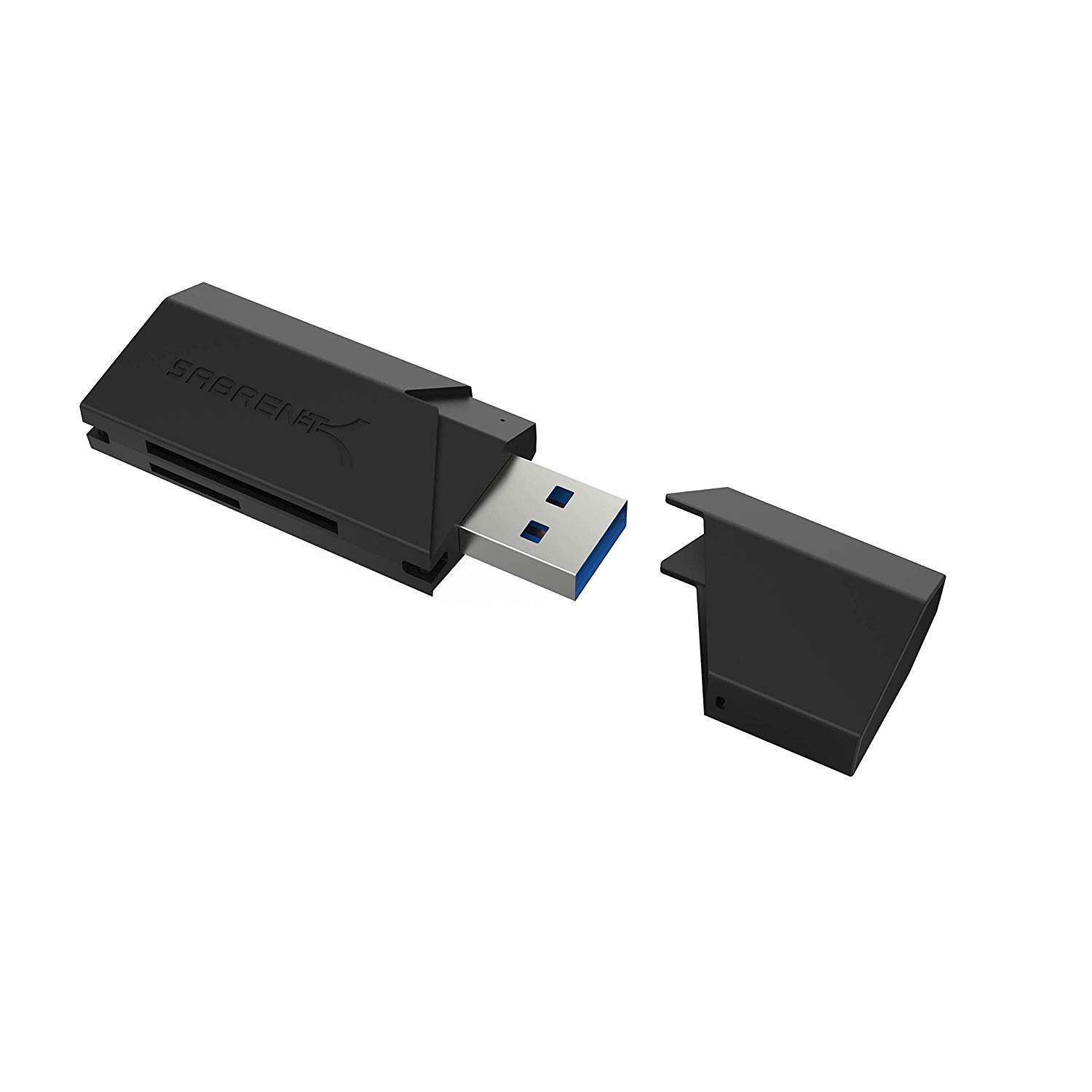
Read Amazon ReviewsSABRENT SuperSpeed 2-Slot USB 3.0 Card Reader (CR-UMSS)
Choose the CR-BCA2 if having both USB-C and USB-A connections is useful for your devices.
The CR-UMSS may suit buyers who need its listed MMC or T-Flash support and use a compatible USB connection; check the host port before choosing it.
- The CR-UMSS is described as a USB-powered, plug-and-play USB 3.0 reader supporting SD, SDHC, SDXC, MMC, microSD, and T-Flash, with USB 2.0 host compatibility.
- Its description does not specify USB-C connectivity.
- The CR-BCA2 combines USB-C and USB-A connections with SD and microSD support, plus a stated interface maximum of up to 5Gbps.
Is SABRENT Card Reader Worth It?
The SABRENT USB-C & USB-A SD/Micro SD Card Reader is worth considering as a portable, uncomplicated reader for common SD and microSD cards.
Its strongest advantage is the combination of two connector types with plug-and-play operation, making it a flexible option for everyday transfers across compatible devices.
Buy it if those card formats and USB connections match your setup, and treat the 5Gbps figure as an upper interface limit.
Confirm compatibility for a particular Android device or a simultaneous two-card workflow before depending on either use.
Your review at a glance
2,000+ ratings
Read Amazon ReviewsSABRENT USB-C & USB-A SD/Micro SD Card Reader
A practical pick for transferring camera and device files between USB-C and USB-A computers or compatible Android devices.
- USB-C and USB-A connections for use with modern USB-C devices and traditional USB-A ports.
- Dual slots read SD, SDHC, SDXC, microSD, microSDHC, and microSDXC cards.
- USB 3.0 interface offers transfer speeds up to 5Gbps and works with USB 2.0 hosts.
- Plug-and-play operation requires no driver or software installation.