The SABRENT EC-HD2B is a dual-bay USB 3.0 dock for 2.5- and 3.5-inch SATA hard drives and SSDs, with offline cloning for drive-to-drive copying.
This sabrent ec hd2b review focuses on whether its mix of everyday access and standalone cloning fits your storage routine.
SABRENT EC-HD2B Review Summary
The quick verdict
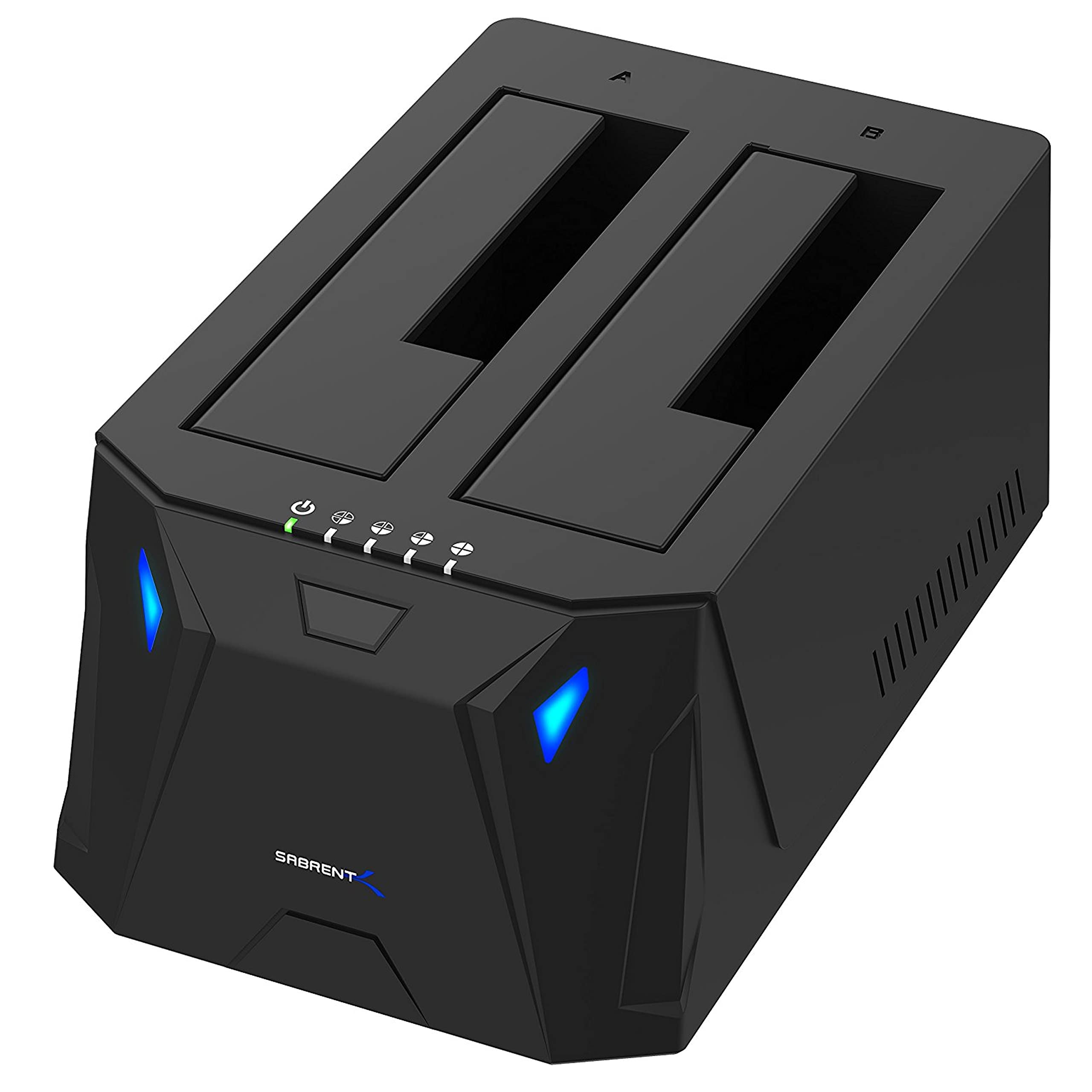
17,000+ ratings
Read Amazon ReviewsSABRENT EC-HD2B
A practical fit for buyers who want quick access to two SATA drives and occasional computer-free cloning in one USB 3.0 dock.
- Two bays for standard desktop 2.5- or 3.5-inch SATA hard drives and SSDs.
- USB 3.0 host connection with transfer speeds up to 5Gbps; listed backward-compatible speeds are up to 480Mbps for USB 2.0 and 12Mbps for USB 1.1.
- Offline cloning supports drive-to-drive copying without a connected computer, at up to 60Mbps.
- Plug-and-play setup requires no drivers.

Pros
- Combines access to two SATA drives with an offline cloning function.
- Accepts both 2.5- and 3.5-inch SATA drives and SSDs.
Consider before buying
- The capacity figures conflict, so buyers using larger drives should verify the maximum supported capacity for their drive.
- Offline cloning has a listed maximum of 60Mbps, which may make it a less appealing choice when copying speed is the priority.
Read the full review summary
The EC-HD2B combines two drive bays with a USB connection to a computer and a cloning function that operates without one.
That makes it useful for moving between drives, accessing files on spare disks, or copying a source drive when you do not need a larger multi-drive setup.
Its connection supports transfer rates up to 5Gbps over USB 3.0, with lower listed maximums for USB 2.0 and USB 1.1.
The product information describes offline cloning up to 60Mbps and support for standard desktop SATA drives, while the supplied capacity details differ: the title mentions 20TB+ support, and the feature bullets specify drives up to 10TB.
Check the capacity guidance for your specific drive before buying.
The buying factors
SABRENT EC-HD2B Scorecard
Editorial scores reflect listed features and buyer fit; they are not laboratory measurements or customer ratings.
Drive-format versatility
Works with standard 2.5- and 3.5-inch SATA hard drives and SSDs, covering common desktop drive formats.
Two-drive workflow
The dual-bay design provides space for two drives, useful when switching between disks or setting up a source and destination.
Standalone cloning
Offline cloning can work without a computer, though the listed maximum of 60Mbps makes this feature better judged as a convenience than a speed-focused workflow.
Computer connectivity
USB 3.0 supports transfer speeds up to 5Gbps, with backward support listed for USB 2.0 and 1.1 at their lower limits.
Capacity guidance
The product title and feature bullets give different maximum-capacity guidance, so buyers with larger drives should confirm compatibility first.
Setup simplicity
Plug-and-play operation with no drivers needed keeps the basic connection straightforward.
Key Features and Specifications of SABRENT EC-HD2B
- Two bays for standard desktop 2.5- or 3.5-inch SATA hard drives and SSDs.
- USB 3.0 host connection with transfer speeds up to 5Gbps; listed backward-compatible speeds are up to 480Mbps for USB 2.0 and 12Mbps for USB 1.1.
- Offline cloning supports drive-to-drive copying without a connected computer, at up to 60Mbps.
- Plug-and-play setup requires no drivers.
- Capacity information is inconsistent: the title references 20TB+ support, while the feature bullets specify hard drives up to 10TB.
Pros and Cons of SABRENT EC-HD2B
Pros
- Combines access to two SATA drives with an offline cloning function.
- Accepts both 2.5- and 3.5-inch SATA drives and SSDs.
- USB 3.0 offers a listed maximum of 5Gbps for computer-connected transfers.
- Plug-and-play operation avoids a separate driver installation.
Consider before buying
- The capacity figures conflict, so buyers using larger drives should verify the maximum supported capacity for their drive.
- Offline cloning has a listed maximum of 60Mbps, which may make it a less appealing choice when copying speed is the priority.
- The dock is designed for SATA drives; buyers with a different drive interface should confirm compatibility before choosing it.
Who Should Buy SABRENT EC-HD2B?
Good fit
Consider the EC-HD2B if you regularly work with standard 2.5- or 3.5-inch SATA drives and want one dock for computer-connected access and occasional standalone cloning.
Two bays simplify keeping a source and destination drive available at once, and USB 3.0 provides the fastest listed computer connection.
It also suits a simple desk or maintenance setup where plug-and-play access matters more than a multi-drive enclosure.
Before ordering, check the capacity guidance against the drives you plan to use, especially if they exceed 10TB, because the product information gives two different upper-limit descriptions.
Who should skip it
Look elsewhere if your routine depends on a drive format other than standard 2.5- or 3.5-inch SATA, or if you need a dock with more than two bays.
Confirm your drive’s interface and capacity before relying on this model.
If cloning speed is a central requirement, weigh the listed maximum of 60Mbps carefully against the amount of data you expect to copy and how often you will use the offline function.
How the SABRENT EC-HD2B Fits a SATA Drive Setup
Two bays for practical drive access
With room for two SATA drives, the EC-HD2B can keep a pair of disks accessible through one dock.
That is convenient for comparing files or working with a source and destination without having to swap a single drive repeatedly.
USB 3.0 for computer-connected use
The dock lists USB 3.0 transfer speeds up to 5Gbps, while USB 2.0 and USB 1.1 connections have substantially lower stated limits.
The connection standard sets a ceiling rather than guaranteeing a particular file-copy rate, so the speed that matters in practice will depend on the drive and host connection.
Offline cloning as a separate workflow
The ability to clone without a computer is useful when you want a direct drive-to-drive copy without launching software.
The listed maximum of 60Mbps is a meaningful consideration for large transfers; buyers should decide whether standalone convenience matters more than the time a copy may take.
Check drive capacity before choosing
The product title references support beyond 20TB, while the feature bullets say hard drives up to 10TB.
Since those figures do not agree, verify the appropriate limit for your intended drives before purchase rather than assuming the higher figure applies to every setup.
Alternatives to SABRENT EC-HD2B
Hard Drive Docking Stations alternative
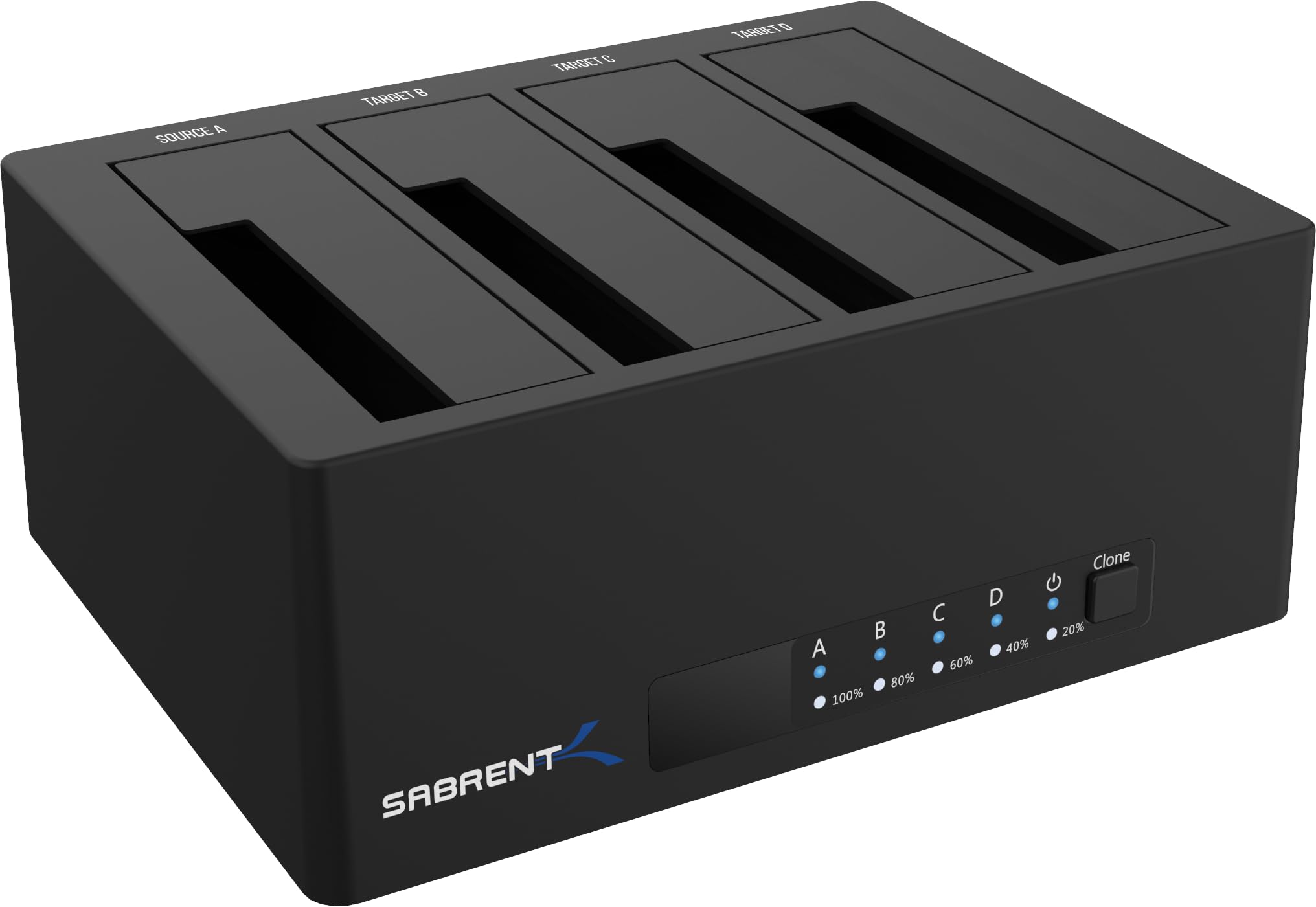
17,000+ ratings
Read Amazon ReviewsSABRENT DS-U3B4 4-Bay USB 3.0 Dock
Choose the EC-HD2B if two bays cover your routine. The DS-U3B4 is a closer fit when you need to manage several SATA drives at once and value the added bay capacity.
- The DS-U3B4 holds up to four 2.5- or 3.5-inch SATA drives, connects over USB 3.0 at up to 5Gbps, and supports offline cloning with LED progress indicators.
- The EC-HD2B accommodates two standard 2.5- or 3.5-inch SATA drives and includes offline cloning, with USB 3.0 speeds up to 5Gbps.
Hard Drive Docking Stations alternative
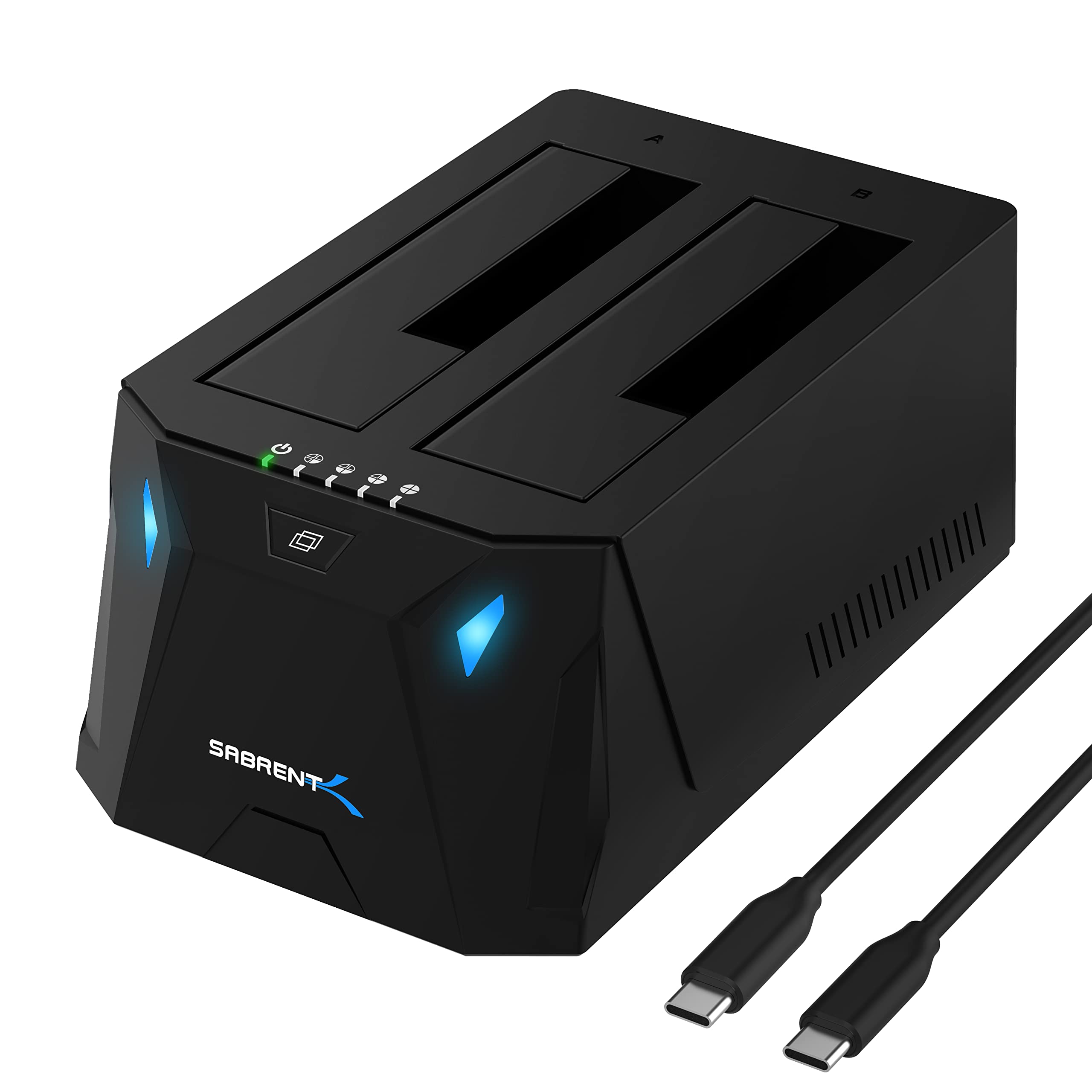
1,000+ ratings
Read Amazon ReviewsSABRENT EC-CH2B Dual-Bay USB-C SATA Dock
Both address two-drive SATA access and offline cloning. The EC-CH2B may suit buyers seeking a USB Type-C connection or clearer stated capacity guidance; check that its host connection and drive capacity match your setup.
- The EC-CH2B supports two 2.5- or 3.5-inch SATA drives, USB Type-C with transfer speeds up to 5Gbps, tool-free installation, and offline cloning up to 60MBps; its product details mention support for drives up to 20TB+.
- The EC-HD2B is a two-bay SATA dock with USB 3.0 and offline cloning, but its capacity guidance differs between the title and feature bullets.
Is SABRENT EC-HD2B Worth It?
The SABRENT EC-HD2B is worth considering if you want a straightforward two-bay SATA dock that can also clone drives offline. Its blend of plug-and-play access, USB 3.0 connectivity, and computer-free copying covers useful everyday tasks.
Buy it when two bays and standalone cloning suit your workflow, after confirming the capacity limit for your specific drives.
If you need more room for simultaneous drives or a different host connection, compare those requirements against the alternatives before deciding.
Your review at a glance
17,000+ ratings
Read Amazon ReviewsSABRENT EC-HD2B
A practical fit for buyers who want quick access to two SATA drives and occasional computer-free cloning in one USB 3.0 dock.
- Two bays for standard desktop 2.5- or 3.5-inch SATA hard drives and SSDs.
- USB 3.0 host connection with transfer speeds up to 5Gbps; listed backward-compatible speeds are up to 480Mbps for USB 2.0 and 12Mbps for USB 1.1.
- Offline cloning supports drive-to-drive copying without a connected computer, at up to 60Mbps.
- Plug-and-play setup requires no drivers.