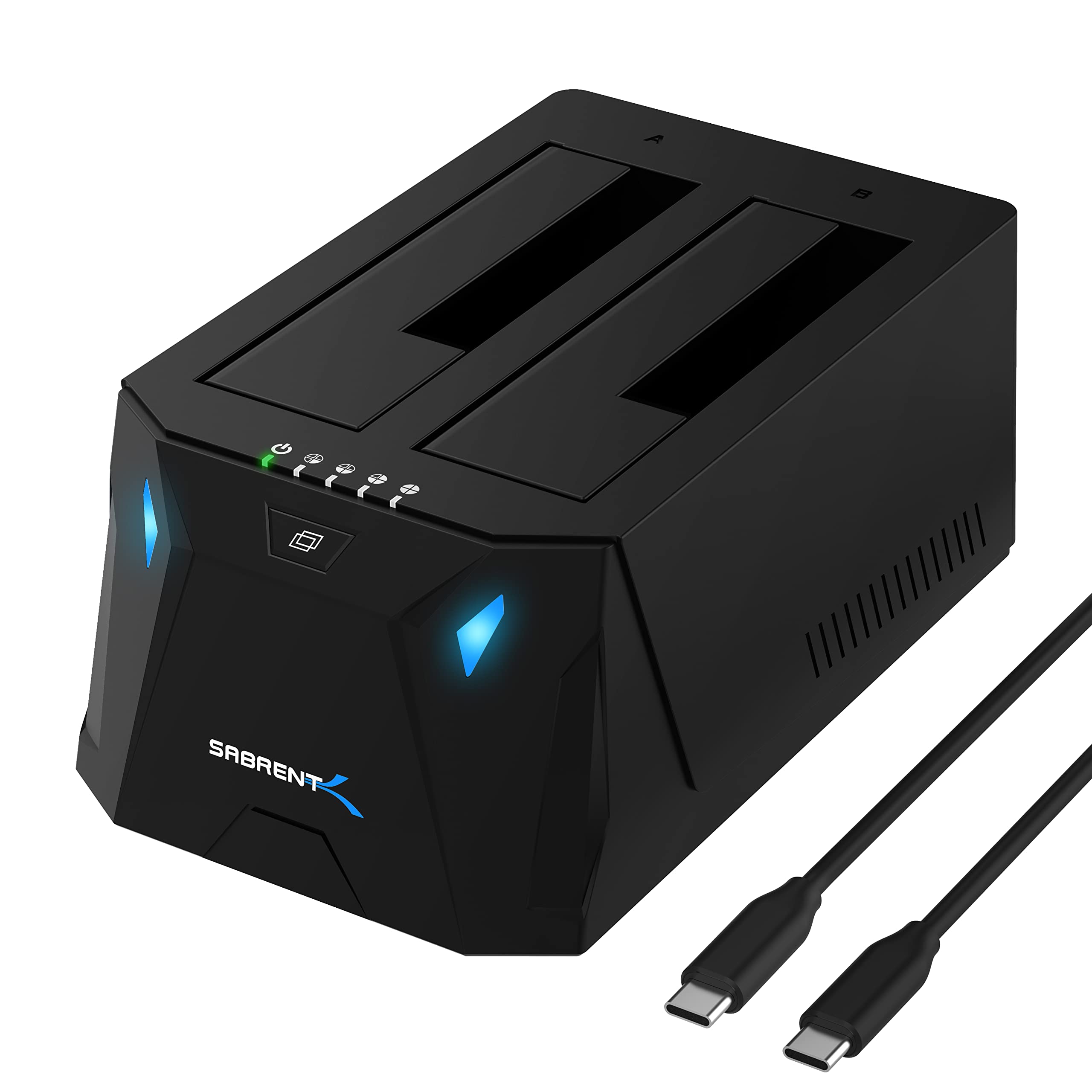
The SABRENT Dual-Bay USB-C Hard Drive Docking Station & Cloner review centers on a useful mix of everyday drive access and offline cloning for standard 2.5-inch and 3.5-inch SATA drives.
Its two bays and tool-free setup suit home users, music collectors, and small offices managing loose drives or backups.
SABRENT Dual-Bay Dock Review Summary
The quick verdict
1,000+ ratings
Read Amazon ReviewsSABRENT Dual-Bay USB-C Hard Drive Docking Station & Cloner
A practical fit for anyone who needs to connect two SATA drives, move files, or clone a drive without a computer.
- Two-bay design reads and writes two hard drives simultaneously.
- Offline cloning copies a drive without a computer, at speeds up to 60MBps.
- USB-C connection supports data transfer speeds up to 5Gbps through USB 3.0.
- Supports 2.5-inch and 3.5-inch SATA hard drives.

Pros
- Combines two-drive access and standalone cloning in one dock.
- Works with both common 2.5-inch and 3.5-inch SATA drive formats.
Consider before buying
- The listed offline clone speed is up to 60MBps, so cloning may take time with large drives.
- The supplied compatibility details specify SATA drives, so confirm your drive interface before buying.
Read the full review summary
This dock is designed to make two SATA drives available at once, so it can help when copying files between disks, checking older drives, or keeping two drives connected to a computer.
The USB-C connection supports transfer speeds up to 5Gbps, while plug-and-play operation and hot swapping make routine access straightforward.
Its offline cloning feature can copy a source drive to a target without using a computer, with a listed maximum cloning speed of up to 60MBps.
That makes it particularly relevant for people replacing a drive or preparing a duplicate, though buyers should check that the source and target capacities and intended clone workflow suit their needs before starting.
The buying factors
SABRENT Dual-Bay Dock Scorecard
Editorial scores reflect listed features and buyer fit; they are not laboratory measurements or customer ratings.
Two-drive access
The dual-bay design supports reading and writing two drives simultaneously, which is useful for direct file transfers and drive management.
Offline cloning
Drive-to-drive cloning works without a computer, with a listed maximum speed of up to 60MBps.
Drive compatibility
It supports 2.5-inch and 3.5-inch SATA HDDs and is described as supporting drives up to 20TB or more.
Computer connectivity
USB 3.0 transfer speeds are listed up to 5Gbps, and the product connects through USB-C.
Setup convenience
Tool-free installation, plug-and-play use, and hot swapping reduce setup steps for routine drive access.
Status visibility
An HDD access LED indicates drive activity, though the supplied description gives no further detail about clone progress indicators.
Key Features and Specifications of SABRENT Dual-Bay Dock
- Two-bay design reads and writes two hard drives simultaneously.
- Offline cloning copies a drive without a computer, at speeds up to 60MBps.
- USB-C connection supports data transfer speeds up to 5Gbps through USB 3.0.
- Supports 2.5-inch and 3.5-inch SATA hard drives.
- Listed support for drives up to 20TB or more.
- Tool-free installation, plug-and-play operation, and hot swapping.
- HDD access LED indicator and compatibility with Windows and Mac OS.
Pros and Cons of SABRENT Dual-Bay Dock
Pros
- Combines two-drive access and standalone cloning in one dock.
- Works with both common 2.5-inch and 3.5-inch SATA drive formats.
- Tool-free setup and hot swapping suit frequent drive changes.
- USB-C host connection and up to 5Gbps transfer speed support convenient computer-based file access.
Consider before buying
- The listed offline clone speed is up to 60MBps, so cloning may take time with large drives.
- The supplied compatibility details specify SATA drives, so confirm your drive interface before buying.
- USB-C is the connection type, but the description does not specify included cable details; check the package contents if cable fit matters.
Who Should Buy SABRENT Dual-Bay Dock?
Good fit
Consider this dock if you regularly connect loose 2.5-inch or 3.5-inch SATA drives and want a simple way to work with two at once.
It can make file transfers between drives more convenient, and the access indicator offers a quick visual cue that a drive is active.
It is also a reasonable option for a one-off or occasional drive migration when you want cloning to run without a computer.
Before relying on that workflow, verify the source and destination drives are appropriate for your intended clone, and allow for the listed maximum cloning rate when estimating how long the job may take.
For general computer use, check that your computer has a suitable USB-C connection and that the operating system is Windows or Mac OS.
The dock's tool-free design should help when drives are swapped in and out, while the larger-capacity support gives it room to work with sizable storage drives.
Who should skip it
Skip this model if your drives use an interface other than the supported 2.5-inch or 3.5-inch SATA formats; verify the drive label or specifications first.
If you need cloning to finish quickly on very large drives, compare the stated maximum of up to 60MBps with your expected workload before choosing.
How the SABRENT Dual-Bay Dock Fits Everyday Drive Work
Two bays for transfers and access
Simultaneous read and write support gives the two slots a practical role beyond simply storing a spare drive. You can connect a source and destination together for computer-managed copying, or keep two drives accessible while organizing files.
The listed transfer ceiling is up to 5Gbps over USB 3.0, but actual transfer time depends on the drives and files involved.
Offline cloning for drive changes
The standalone clone function is useful when migrating a drive without leaving a computer involved in the process.
The stated maximum of up to 60MBps is a useful planning point: a large clone can take a substantial amount of time, so it is best suited to buyers who value a direct workflow more than a fast turnaround.
Confirm the target drive and clone procedure before starting.
SATA compatibility and drive size
Support for 2.5-inch and 3.5-inch SATA hard drives covers two familiar physical drive formats, and the description lists capacity support for drives up to 20TB or more.
These details are useful for desktop drives and many removable internal drives, but the interface matters as much as physical size. Check that a drive is SATA before expecting it to work in this dock.
Simple setup, with a few details to check
Tool-free installation, plug-and-play operation, and hot swapping make the dock approachable for routine use, while the HDD access LED provides a basic activity signal. The product is listed for Windows and Mac OS.
If you rely on a particular cable or computer port, confirm the supplied cable and your device's USB-C compatibility before purchase.
Alternatives to SABRENT Dual-Bay Dock
Hard Drive Docking Stations alternative
17,000+ ratings
Read Amazon ReviewsSABRENT 4-Bay USB 3.0 Hard Drive Docking Station & Cloner (DS-U3B4)
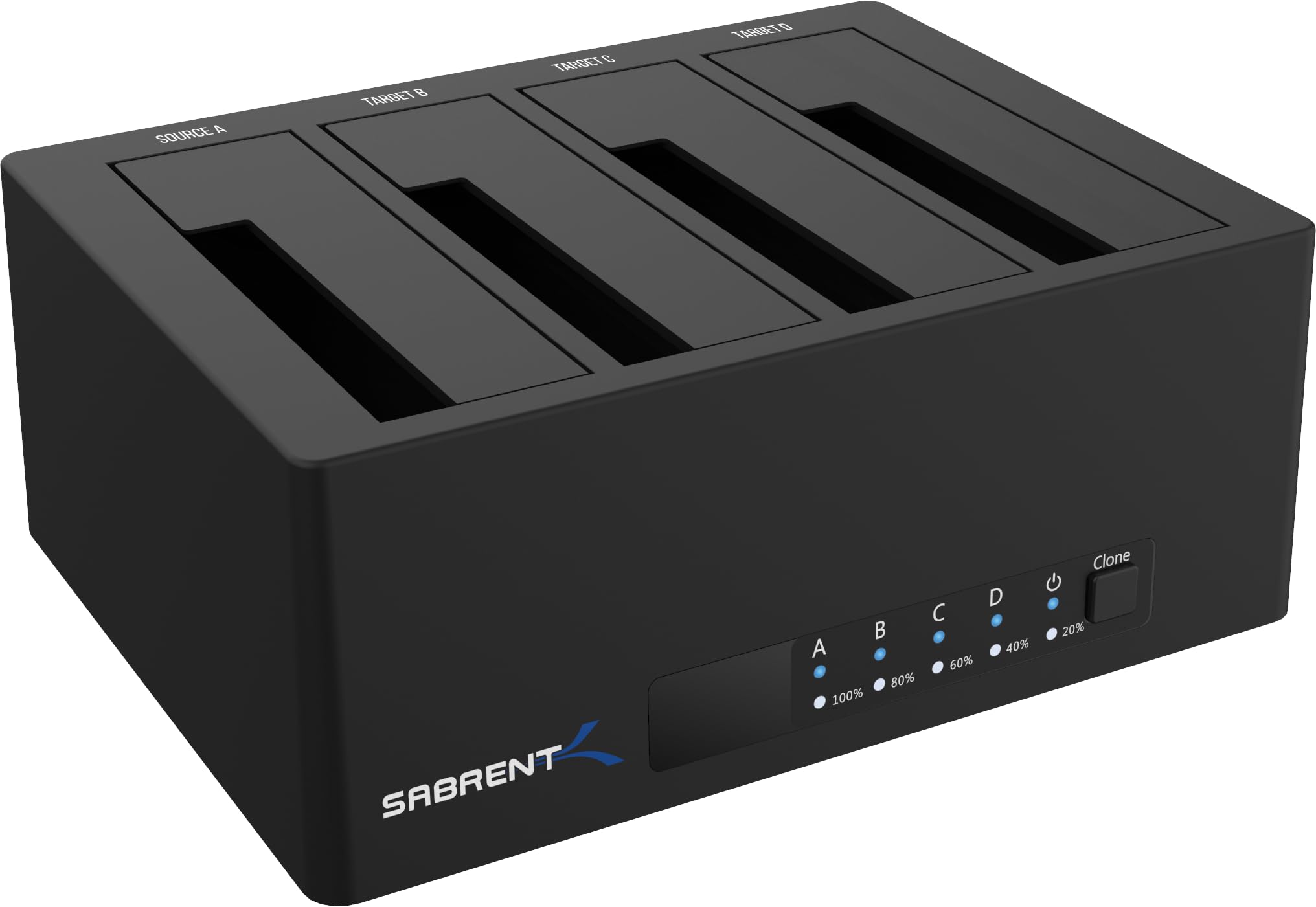
Choose the main dock if two bays and USB-C fit your setup. Consider the DS-U3B4 if managing up to four SATA drives at once and seeing clone progress are more useful.
- The DS-U3B4 has four bays for 2.5-inch or 3.5-inch SATA drives, connects over USB 3.0, and offers offline cloning with LED clone progress indicators.
- The SABRENT Dual-Bay Dock supports two 2.5-inch or 3.5-inch SATA drives and connects over USB-C, with offline cloning.
Hard Drive Docking Stations alternative
37,000+ ratings
Read Amazon ReviewsSABRENT USB 3.0 to SATA Hard Drive Docking Station, 2.5/3.5in (EC-DFLT)
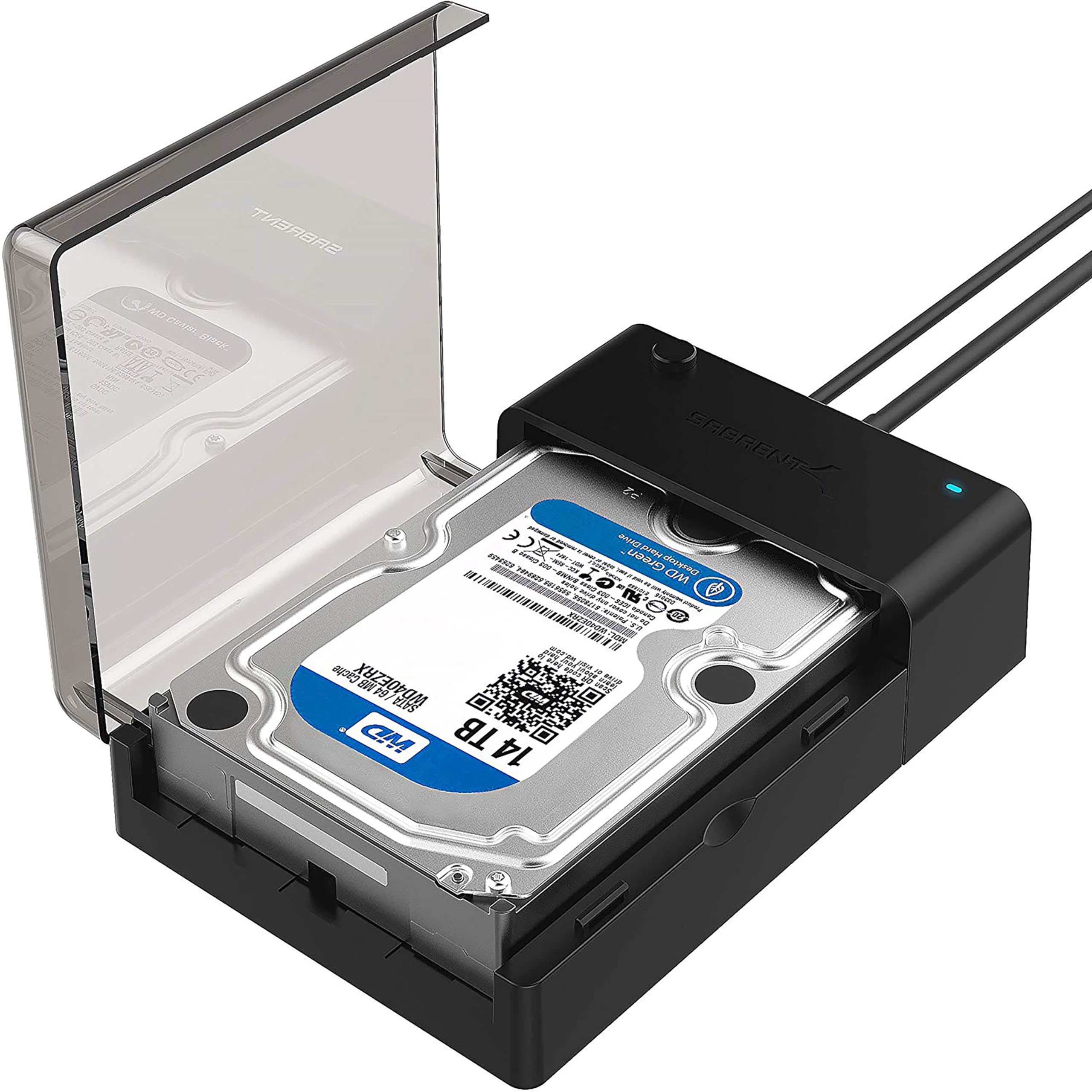
The main dock is the better fit when you need two drives connected together or offline cloning. Choose the EC-DFLT if one-drive-at-a-time access is enough and you value its stated UASP support.
- The EC-DFLT is a single-drive lay-flat dock for 2.5-inch and 3.5-inch SATA drives and SSDs, with UASP support on a capable host.
- The SABRENT Dual-Bay Dock is built for simultaneous use of two drives and includes offline cloning.
Is SABRENT Dual-Bay Dock Worth It?
The SABRENT Dual-Bay USB-C Hard Drive Docking Station & Cloner is worth considering for buyers who regularly access two SATA drives or want a straightforward offline cloning option.
Its useful mix of tool-free handling, broad drive-size support, and USB-C connectivity makes it a flexible desk accessory.
The key tradeoff is cloning speed: the listed maximum is up to 60MBps, so large migrations may take a while.
Check that your drives are SATA and plan around the stated speed; if those conditions fit your workflow, this dock offers a practical combination of drive access and cloning.
Your review at a glance
1,000+ ratings
Read Amazon ReviewsSABRENT Dual-Bay USB-C Hard Drive Docking Station & Cloner
A practical fit for anyone who needs to connect two SATA drives, move files, or clone a drive without a computer.
- Two-bay design reads and writes two hard drives simultaneously.
- Offline cloning copies a drive without a computer, at speeds up to 60MBps.
- USB-C connection supports data transfer speeds up to 5Gbps through USB 3.0.
- Supports 2.5-inch and 3.5-inch SATA hard drives.