The SABRENT 3 Port Aluminum Mini USB 3.0 Hub review is for anyone who needs a small way to add USB connectivity without carrying a full-size desktop hub.
Its rotatable connector and plug-and-play design make it especially appealing for travel or a crowded workstation.
SABRENT Mini Hub Review Summary
The quick verdict
9,000+ ratings
Read Amazon ReviewsSABRENT 3 Port Aluminum Mini USB 3.0 Hub
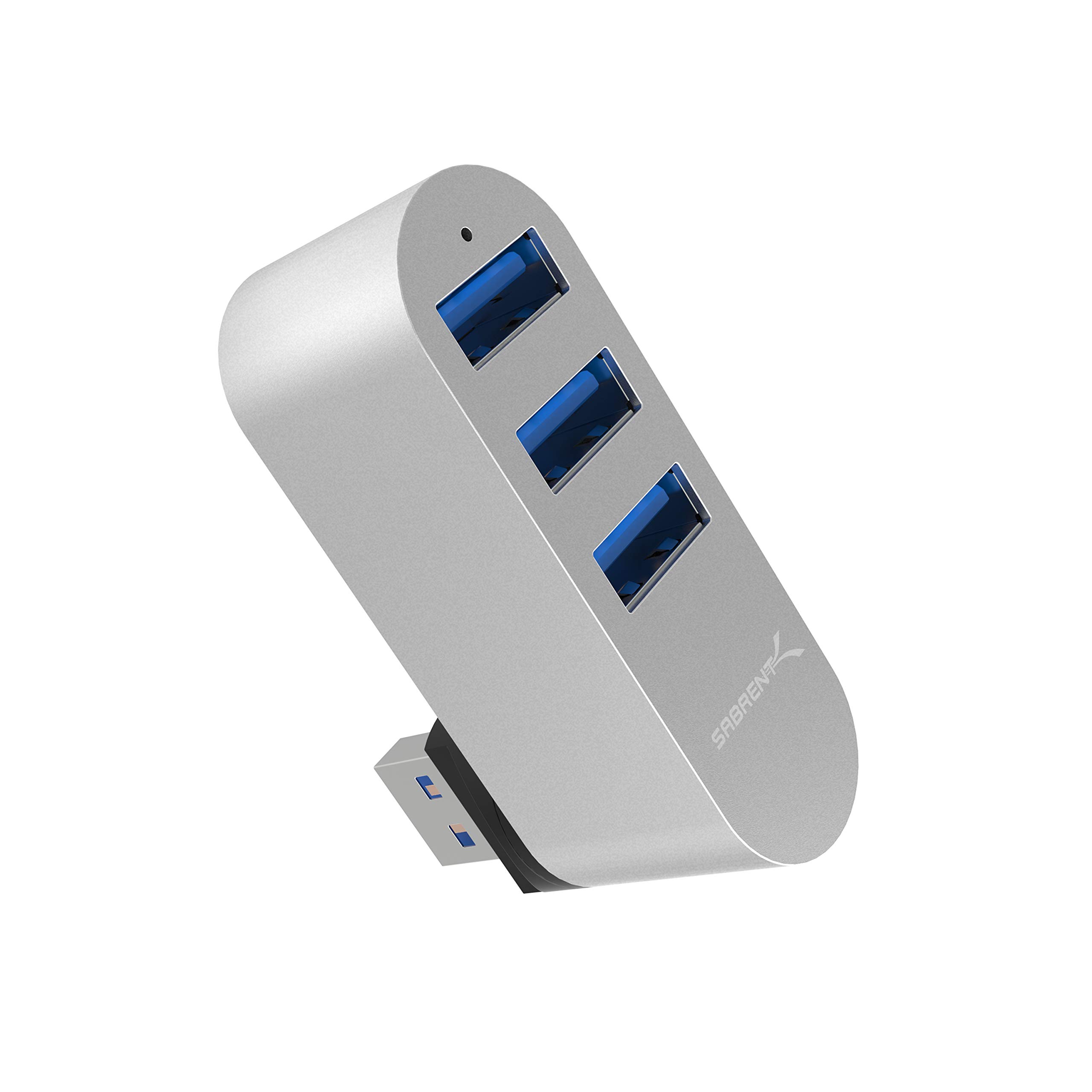
A compact, rotatable USB 3.0 hub for laptop and desktop users who need three extra USB ports in a travel-friendly form.
- Three USB 3.0 ports for adding connections to a compatible computer.
- Aluminum mini form factor with a compact, lightweight design intended for travel.
- USB connector rotates 90 or 180 degrees to accommodate different port orientations.
- Plug-and-play setup with hot-swappable and hot-pluggable operation.

Pros
- Three USB 3.0 ports offer useful expansion without the footprint of a larger hub.
- The rotatable connector can make positioning easier when the host port faces an awkward direction.
Consider before buying
- Three additional ports may not be enough for users connecting several peripherals at once.
- The rotating connector’s usefulness depends on the host port’s location and available clearance.
Read the full review summary
This hub keeps its job simple: it adds three USB 3.0 ports in a compact aluminum body, with a connector that can rotate 90 or 180 degrees.
That adjustment may help the hub sit more neatly beside a laptop or desktop port, depending on the direction and clearance available.
It suits users who want a portable expansion option for compatible USB devices and value a straightforward setup across Windows, Mac, and Linux systems.
Buyers should check the placement of their computer’s USB port and the clearance around it, since the usefulness of a rotating connector depends on the layout of the device and nearby cables.
The buying factors
SABRENT Mini Hub Scorecard
Editorial scores reflect listed features and buyer fit; they are not laboratory measurements or customer ratings.
Port expansion
Adds three USB 3.0 ports in a compact form, a useful modest expansion for everyday peripherals.
Port flexibility
The connector rotates 90 or 180 degrees, giving more placement options at the host port.
Portability
Its compact, lightweight design is intended to be travel friendly.
Setup simplicity
Plug-and-play and hot-swappable operation support a simple, driver-free style of use.
Compatibility
The description lists support for Windows, Mac, and Linux systems.
Desk setup versatility
The compact design is convenient, though a three-port mini hub is best suited to smaller expansion needs.
Key Features and Specifications of SABRENT Mini Hub
- Three USB 3.0 ports for adding connections to a compatible computer.
- Aluminum mini form factor with a compact, lightweight design intended for travel.
- USB connector rotates 90 or 180 degrees to accommodate different port orientations.
- Plug-and-play setup with hot-swappable and hot-pluggable operation.
- Compatibility listed for Windows, Mac, and Linux systems.
- Designed with Apple computers in mind, including Mac Pro, iMac, MacBook Air, MacBook Pro, MacBook, and Mac mini.
Pros and Cons of SABRENT Mini Hub
Pros
- Three USB 3.0 ports offer useful expansion without the footprint of a larger hub.
- The rotatable connector can make positioning easier when the host port faces an awkward direction.
- Compact, lightweight construction is convenient for carrying with a laptop.
- Plug-and-play operation and broad listed operating-system compatibility keep setup straightforward.
Consider before buying
- Three additional ports may not be enough for users connecting several peripherals at once.
- The rotating connector’s usefulness depends on the host port’s location and available clearance.
- Before buying, check that your computer has a compatible USB connection and that the hub’s orientation will work with nearby ports and cables.
Who Should Buy SABRENT Mini Hub?
Good fit
Consider the SABRENT Mini Hub if you need a few extra USB 3.0 connections and want a small accessory that can travel with a laptop.
Its aluminum mini design and rotating connector address two common practical concerns: carrying bulk and fitting a hub around the host computer’s port layout.
It also makes sense for a simple desk setup built around a handful of USB devices.
Plug-and-play and hot-swappable operation mean the design is focused on quick connection rather than a more involved installation, while support is listed for Windows, Mac, and Linux systems.
Check your computer’s port orientation before choosing it. A connector that can turn is useful only when the hub can sit in a position that leaves enough room for the adjacent ports and connected cables.
Who should skip it
Choose a different style of hub if your setup needs substantially more than three extra USB ports. This model is deliberately compact, so it is better aligned with light expansion than with a crowded workstation.
It may also be a poor fit if the placement of your computer’s USB port leaves little space for a hub to rotate or for connected plugs to sit comfortably. Check the physical layout before buying.
How the SABRENT Mini Hub Fits a Compact Setup
A small hub for a small number of devices
Three USB 3.0 ports make this a focused expansion tool. It can help when a laptop or desktop needs a few additional connections, while keeping the setup smaller than a hub intended for many peripherals.
Think through the devices you expect to connect at once; a compact three-port design is most appealing when the count is modest.
Rotation makes placement a key consideration
The connector’s 90- or 180-degree rotation gives the hub flexibility around the host port.
That can matter when a computer’s USB port is on a side or back edge, but the result depends on the device’s shape and the space around it.
A quick look at nearby ports, laptop surfaces, and cable direction can help determine whether the hub will sit naturally.
Portable design and straightforward setup
The compact, lightweight aluminum construction is aimed at users who may carry the hub with a laptop or keep it in a small work kit. Plug-and-play and hot-swappable operation also make it suitable for a simple add-on role.
The appeal is convenience and easy connection rather than a large collection of ports or a permanent desktop control center.
Check the connection and operating system
The product description lists compatibility with Windows, Mac, and Linux systems and names a range of Apple computers.
Before purchasing, confirm that the computer you plan to use has a compatible USB port and that the three added connections match your needs.
This basic compatibility check helps avoid choosing a hub whose physical connection or port count does not suit the setup.
Alternatives to SABRENT Mini Hub
USB Hubs alternative
2,000+ ratings
Read Amazon ReviewsSABRENT 4-Port Aluminum USB 3.0 Hub
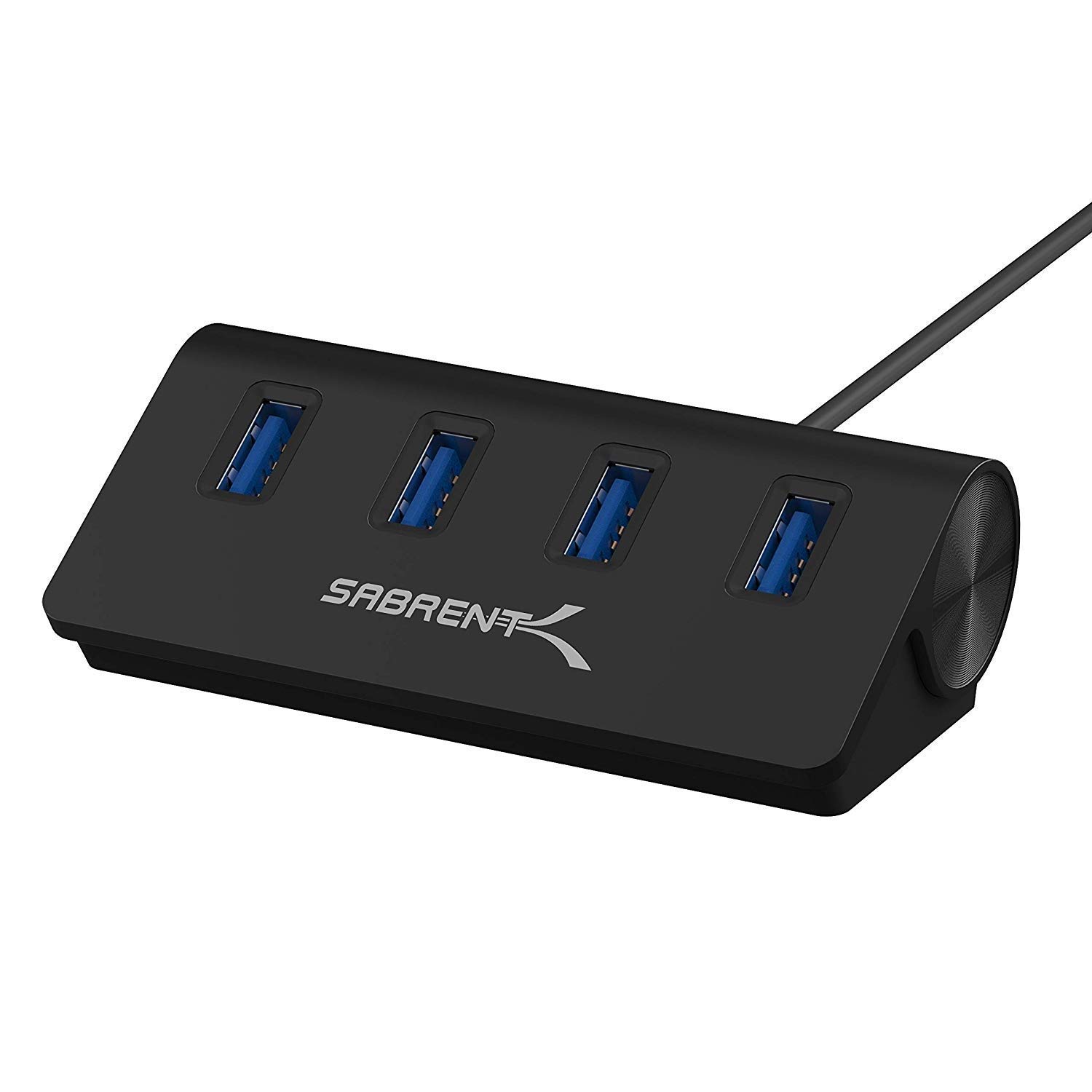
Consider the four-port cable model if one additional connection and more flexible placement via a cable are more useful than the mini hub’s directly rotatable connector.
Choose the Mini Hub if its compact form and adjustable plug better fit your computer’s port layout.
- This aluminum USB 3.0 hub provides four ports and connects through a 2.5-foot USB 3.0 cable; its description lists transfer speeds up to 5Gbps and compatibility with Windows, Mac, and Linux.
- The SABRENT Mini Hub provides three USB 3.0 ports in a compact body with a rotatable connector.
USB Hubs alternative
500+ ratings
Read Amazon ReviewsSABRENT USB-C 5-in-1 Hub
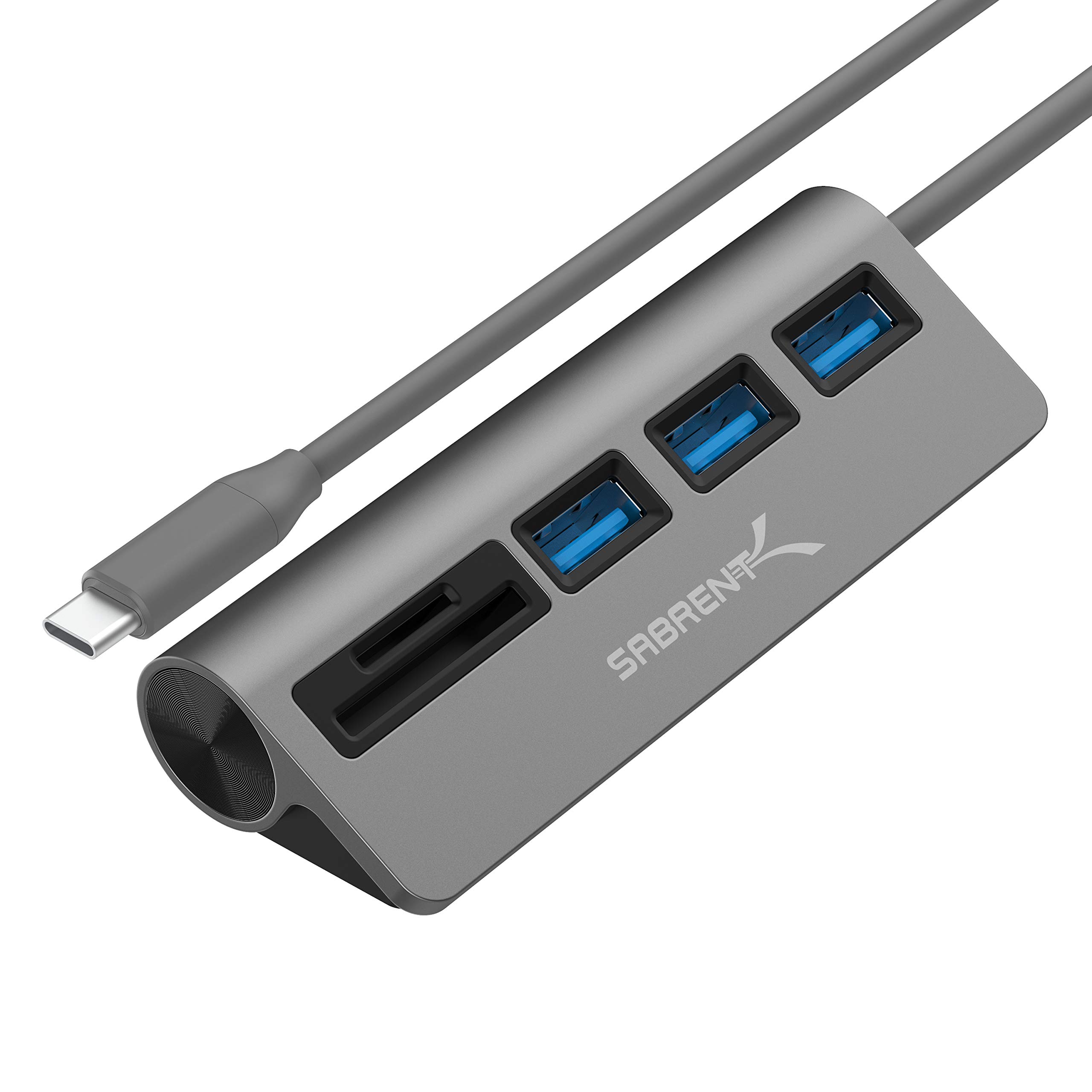
The USB-C 5-in-1 model is a better fit when a compatible USB-C host and built-in memory-card reading are useful together.
The Mini Hub is the simpler choice when the priority is three added USB 3.0 ports and its rotating connector suits the computer.
- This USB-C hub combines three USB 3.0 Type-A ports with SD and microSD card-reader slots, with data transfers listed up to 5Gbps.
- The SABRENT Mini Hub adds three USB 3.0 ports through a rotatable USB connector and is described for Windows, Mac, and Linux systems.
Is SABRENT Mini Hub Worth It?
The SABRENT 3 Port Aluminum Mini USB 3.0 Hub is worth considering for users who want a compact, travel-friendly way to add three USB 3.0 ports.
Its rotating connector and plug-and-play design give it practical flexibility for modest expansion.
The main buying checks are port count, host compatibility, and physical clearance around the computer’s USB port.
If those fit your setup, this mini hub offers a straightforward option; if you need a larger expansion setup or a different connection arrangement, choose a design built around those needs.
Your review at a glance
9,000+ ratings
Read Amazon ReviewsSABRENT 3 Port Aluminum Mini USB 3.0 Hub
A compact, rotatable USB 3.0 hub for laptop and desktop users who need three extra USB ports in a travel-friendly form.
- Three USB 3.0 ports for adding connections to a compatible computer.
- Aluminum mini form factor with a compact, lightweight design intended for travel.
- USB connector rotates 90 or 180 degrees to accommodate different port orientations.
- Plug-and-play setup with hot-swappable and hot-pluggable operation.