The MAONO PD400X Dynamic Microphone review is for creators choosing between a simple USB setup and a microphone that can also join a more traditional audio chain.
Its USB and XLR outputs, headphone monitoring, and software controls give it room to adapt as a podcast or streaming setup grows.
MAONO PD400X Review Summary
The quick verdict
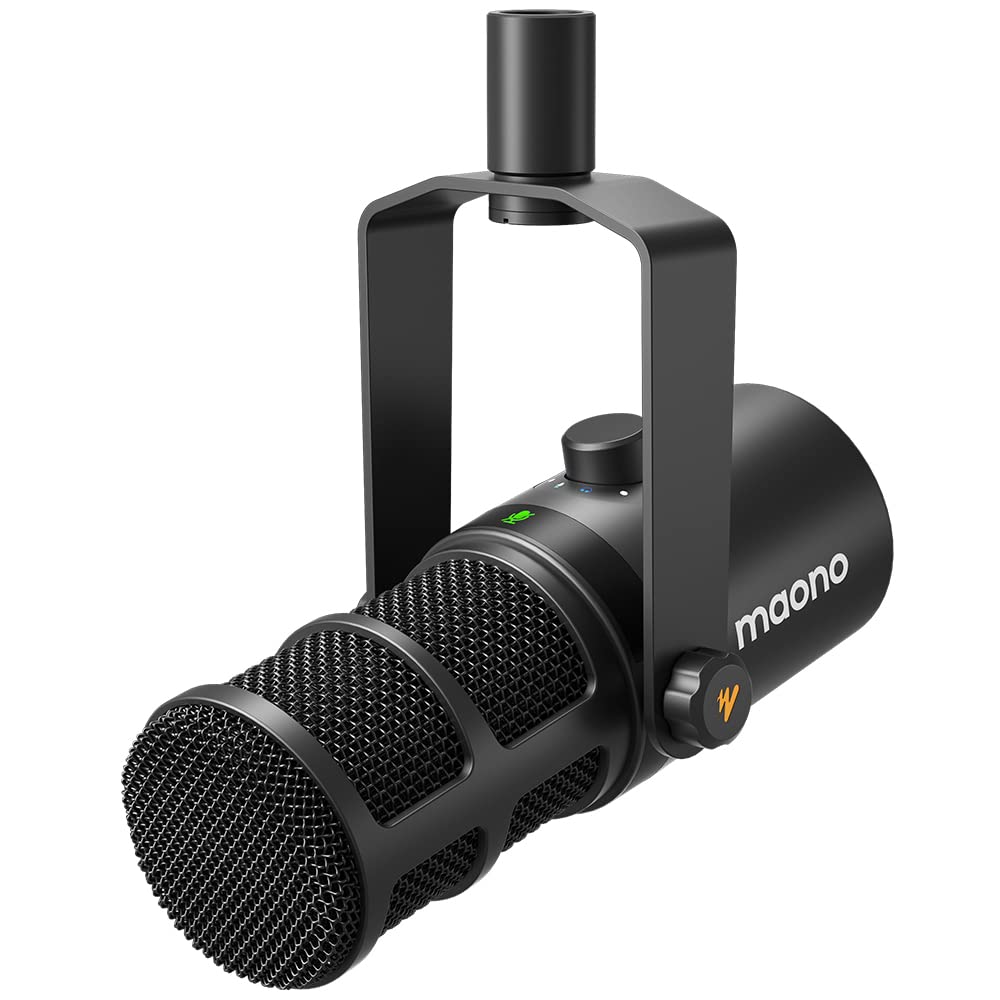
500+ ratings
Read Amazon ReviewsMAONO PD400X
A fit for podcasters and streamers who want USB convenience, XLR flexibility, and hands-on control over monitoring and vocal tone.
- Dynamic microphone with a cardioid polar pattern, aimed at vocal recording and helping to reject unwanted background sound.
- USB output for plug-and-play connection to a computer, alongside XLR analog output for interfaces, mixers, or portable PA systems.
- MAONO Link Standard Mode offers vocal-tone and microphone-distance selections when connected over USB.
- Advanced Mode provides adjustments for mic gain, monitor mix, EQ, limiter, compressor, and other settings.

Pros
- USB and XLR outputs let the microphone serve both a computer-based workflow and a separate audio setup.
- Several everyday controls are available directly on the microphone, including gain, monitor mix, headphone volume, and mute.
Consider before buying
- The listed software modes and adjustments are tied to USB use, so XLR users should plan to make relevant changes through their connected audio equipment.
- The microphone is the main focus of the supplied description; check the included mounting hardware and required cables against your setup before buying.
Read the full review summary
The PD400X combines a dynamic capsule and cardioid pickup pattern with USB and XLR connectivity.
USB mode supports plug-and-play use and access to the MAONO Link app, while XLR output provides a route to an audio interface, mixer, or portable PA system.
That combination makes the microphone a flexible centerpiece for a desk setup that may change over time.
Its appeal is especially practical for people who record and monitor at the same workstation. A multifunction control handles mic gain, headphone volume, and monitor mix, while the touch mute key has an LED indicator.
The app offers vocal-tone and distance selections in Standard Mode, plus EQ and dynamics controls in Advanced Mode.
Buyers who want a microphone that works with both a computer and separate audio gear will get the most from these options.
The buying factors
MAONO PD400X Scorecard
Editorial scores reflect listed features and buyer fit; they are not laboratory measurements or customer ratings.
Connection flexibility
USB supports plug-and-play computer use, while XLR output connects to interfaces, mixers, and portable PA systems.
On-mic control
The digital knob covers gain, headphone volume, and monitor mix, and a touch control provides mute with an LED indicator.
Software adjustment
MAONO Link offers vocal-tone and distance options, with EQ, limiter, and compressor controls available in Advanced Mode.
Monitoring workflow
A headphone jack and monitor-mix adjustment support checking the microphone feed while recording.
Room suitability
The dynamic capsule and cardioid pattern are designed to focus on the voice and help reject unwanted background sound.
Setup simplicity
USB is described as plug-and-play, though XLR use entails connecting the microphone to compatible audio equipment.
Key Features and Specifications of MAONO PD400X
- Dynamic microphone with a cardioid polar pattern, aimed at vocal recording and helping to reject unwanted background sound.
- USB output for plug-and-play connection to a computer, alongside XLR analog output for interfaces, mixers, or portable PA systems.
- MAONO Link Standard Mode offers vocal-tone and microphone-distance selections when connected over USB.
- Advanced Mode provides adjustments for mic gain, monitor mix, EQ, limiter, compressor, and other settings.
- A three-in-one digital knob adjusts mic gain, headphone volume, and monitor mix.
- Touch mute control includes an LED indicator to show mute status.
- Headphone jack supports listening while recording or streaming.
Pros and Cons of MAONO PD400X
Pros
- USB and XLR outputs let the microphone serve both a computer-based workflow and a separate audio setup.
- Several everyday controls are available directly on the microphone, including gain, monitor mix, headphone volume, and mute.
- Software modes offer options for shaping vocal tone and adjusting dynamics over USB.
- A headphone jack supports monitoring without relying solely on the computer's playback controls.
Consider before buying
- The listed software modes and adjustments are tied to USB use, so XLR users should plan to make relevant changes through their connected audio equipment.
- The microphone is the main focus of the supplied description; check the included mounting hardware and required cables against your setup before buying.
- The dynamic, cardioid design is intended for close vocal use, so buyers should consider whether that recording style suits their space and routine.
Who Should Buy MAONO PD400X?
Good fit
Consider the PD400X if you record podcasts, stream, or make voice recordings at a computer and want the option to move into an XLR-based setup later.
USB offers a straightforward starting point, while XLR output gives the microphone a path to compatible interfaces, mixers, or PA systems as your equipment changes.
It also suits users who prefer quick, physical access to gain, monitoring, and mute. The direct controls can be useful when speaking live, and the app adds more detailed adjustments for USB use.
Before ordering, confirm that your intended connection, microphone support, and cable needs match the equipment you already own.
Who should skip it
Look elsewhere if you need a microphone whose main selling point is an included stand or complete mounting kit; the supplied product details do not establish which mounting accessories are included.
It may be a poor match if you expect all app adjustments to carry over to XLR operation.
The listed software controls are offered in USB modes, so consider how you will shape and monitor sound through your XLR equipment.
How the MAONO PD400X Fits a Creator Setup
USB today, XLR when your setup grows
The two output options help the microphone fit different stages of a creator's workflow. USB is the simpler route for computer recording, while XLR supports connection to audio interfaces, mixers, and portable PA systems.
Buyers choosing XLR should already have, or plan to add, compatible audio equipment.
Direct controls for live sessions
The combined knob gives access to mic gain, headphone volume, and monitor mix, and the touch mute key has a visible LED indicator.
Keeping these tasks on the microphone can make adjustments more immediate during a stream or recording. Check whether the control layout and headphone monitoring approach suit the way you work at your desk.
Software shaping depends on USB mode
MAONO Link has a Standard Mode for selecting vocal tone and distance, plus an Advanced Mode with EQ, limiter, and compressor adjustments. Those options add flexibility for someone who wants to tune a computer-based recording workflow.
Since these software features are specified for USB use, buyers planning to record over XLR should look to the controls available in their connected equipment.
A directional vocal design
The dynamic capsule and cardioid pattern are intended to focus on a speaker's voice and reject unwanted background sound.
That design can be a useful starting point for a home recording space, but placement and room conditions still matter. Consider whether you can speak close to the microphone and position it toward your voice.
Alternatives to MAONO PD400X
Vocal Dynamic Microphones alternative
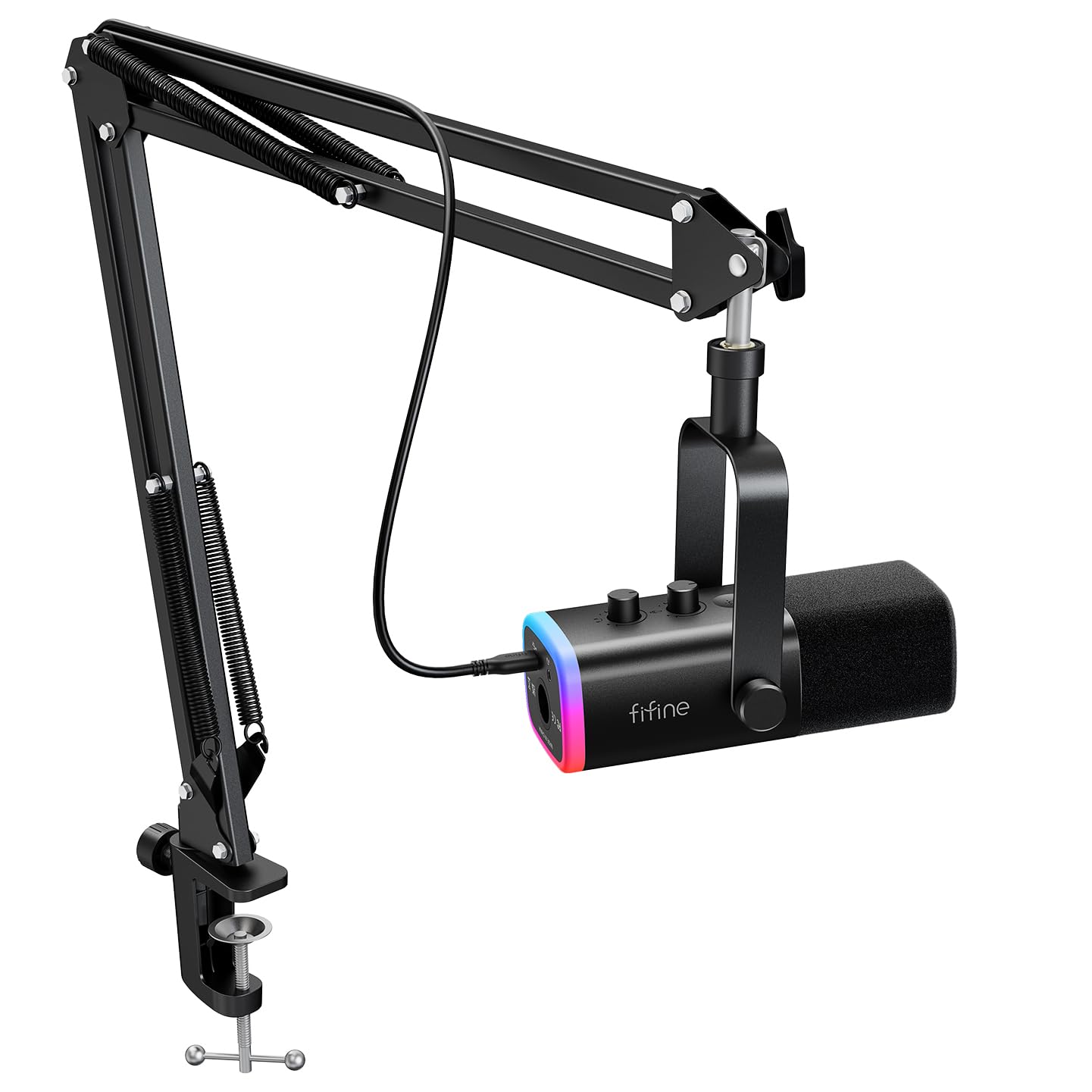
6,000+ ratings
Read Amazon ReviewsFIFINE AmpliGame AM8T
Choose the PD400X if software-based vocal and dynamics adjustments over USB are central to your workflow.
The AM8T is worth considering if you prefer a supplied boom arm and gaming-oriented RGB features, while checking that its mounting and cable details fit your desk.
- The FIFINE AM8T also supports USB and XLR and includes a boom arm stand, mute button, gain knob, headphone jack, and headphone-volume control.
- It adds customizable RGB lighting and is described for gaming, streaming, podcasting, and voice-over use; its package includes a USB cable but not an XLR cable.
- The MAONO PD400X pairs USB and XLR connectivity with MAONO Link software controls and an on-mic knob for gain, monitoring, and headphone volume.
Vocal Dynamic Microphones alternative
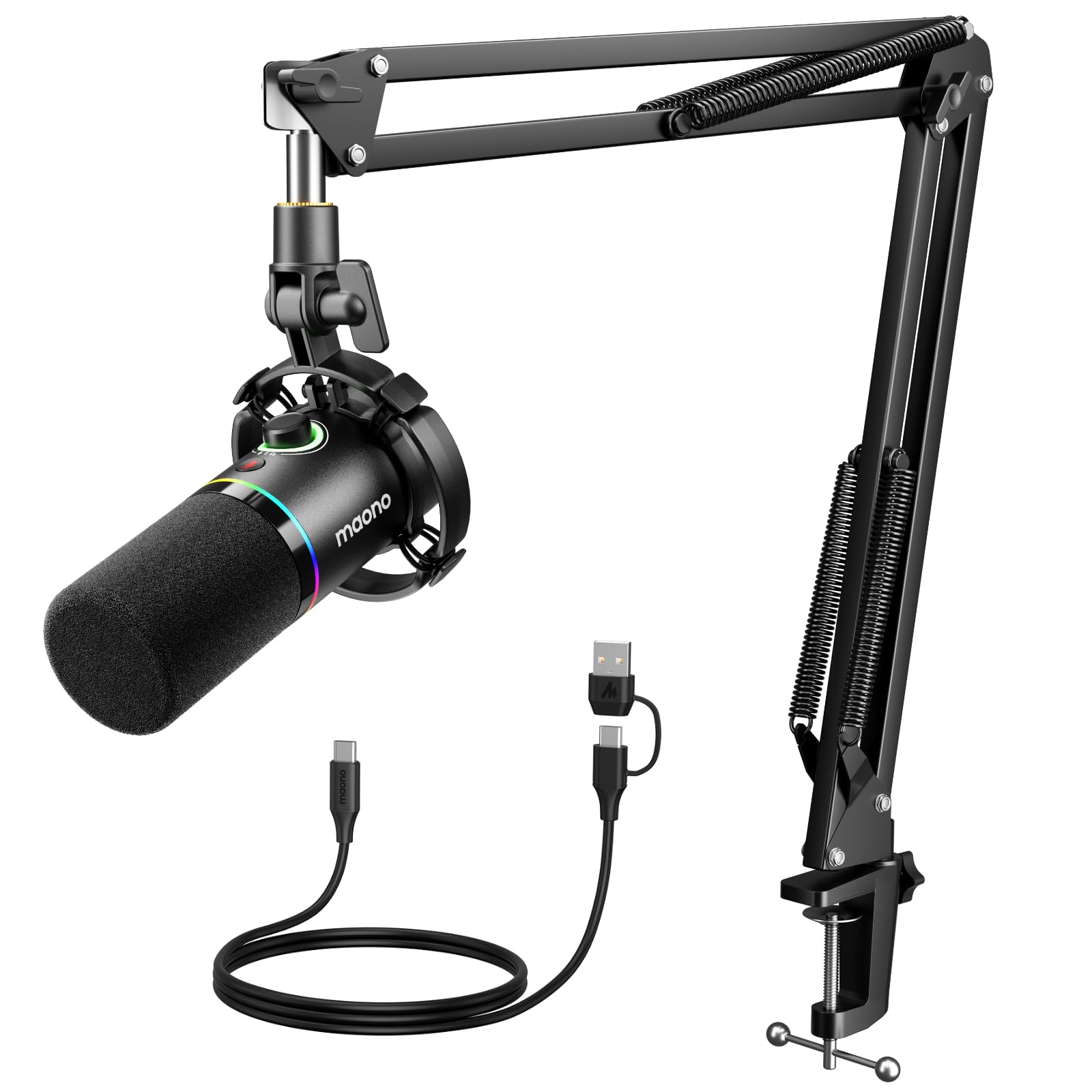
2,000+ ratings
Read Amazon ReviewsMAONO PD200XS
Compare the PD200XS if having a boom arm and shock mount in the kit is important to you. The PD400X remains a strong option when its three-function knob and described connection workflow better match your setup.
Check each package's included accessories and cable needs before deciding.
- The MAONO PD200XS also has USB and XLR, MAONO Link software, a mute key, and headphone monitoring.
- Its listed software controls include EQ, limiter, and compressor in USB mode, and its kit includes a boom arm, shock mount, and USB cable; an XLR cable is not included.
- The MAONO PD400X offers USB and XLR outputs, software adjustments in USB mode, and direct control of gain, monitor mix, and headphone volume.
Is MAONO PD400X Worth It?
The MAONO PD400X is worth considering for podcasters and streamers who want a dynamic microphone that can start over USB and also connect over XLR.
Its headphone monitoring, physical controls, and USB software options give buyers several ways to manage a recording session.
Its best fit is a creator who values that flexibility and will use the available controls. Check your mounting and cable requirements, and keep in mind that the listed software adjustments operate in USB mode.
If those points suit your setup, the PD400X is a capable candidate for a growing home recording workflow.
Your review at a glance
500+ ratings
Read Amazon ReviewsMAONO PD400X
A fit for podcasters and streamers who want USB convenience, XLR flexibility, and hands-on control over monitoring and vocal tone.
- Dynamic microphone with a cardioid polar pattern, aimed at vocal recording and helping to reject unwanted background sound.
- USB output for plug-and-play connection to a computer, alongside XLR analog output for interfaces, mixers, or portable PA systems.
- MAONO Link Standard Mode offers vocal-tone and microphone-distance selections when connected over USB.
- Advanced Mode provides adjustments for mic gain, monitor mix, EQ, limiter, compressor, and other settings.