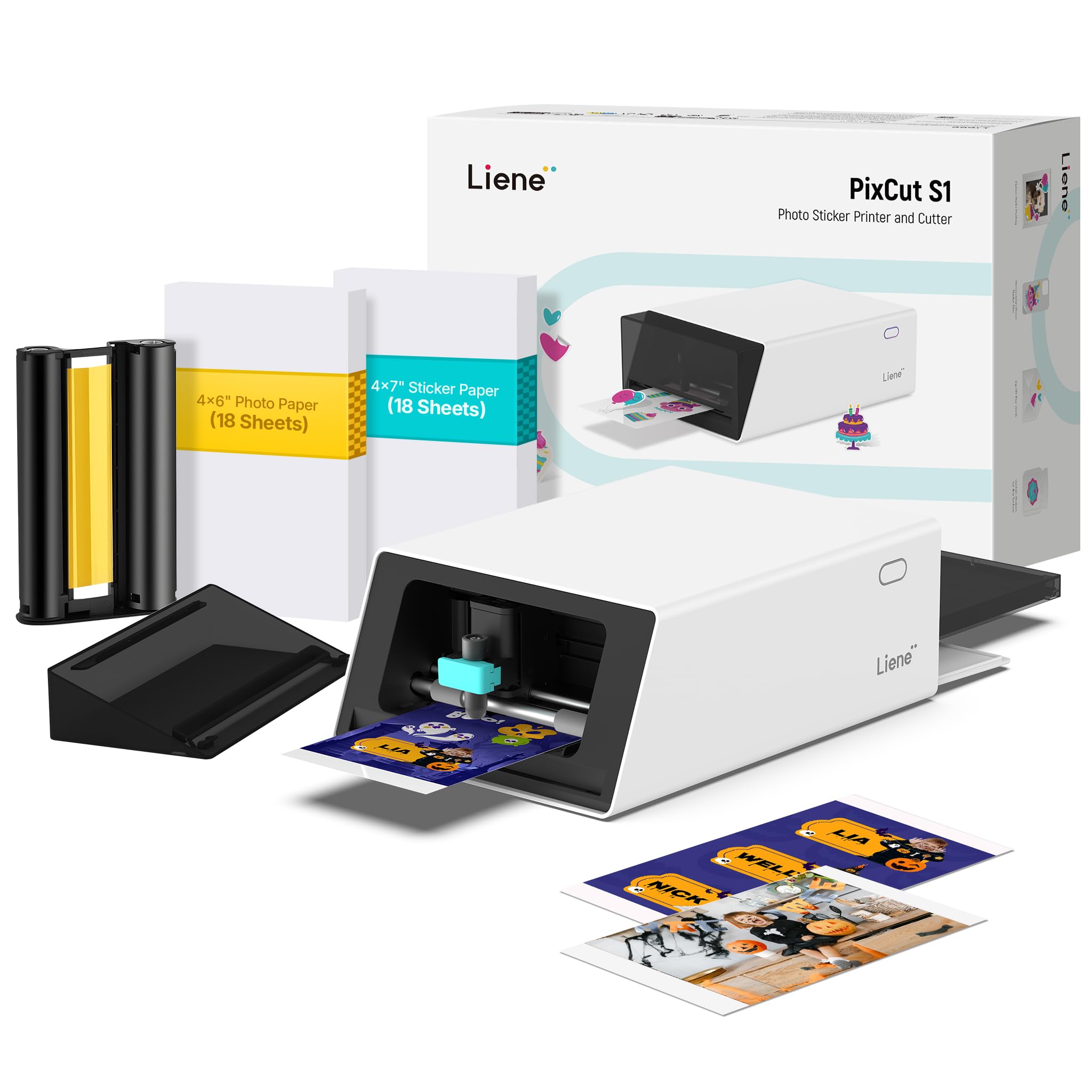
The Liene PixCut S1 combines a color photo printer with a cutting machine, letting you turn images into custom stickers and labels from a connected device.
This Liene PixCut S1 Color Sticker Printer & Cutting Machine review looks at its integrated workflow, creative tools, and the tradeoffs to consider before bringing it into a craft space.
Liene PixCut S1 Review Summary
The quick verdict
700+ ratings
Read Amazon ReviewsLiene PixCut S1
A good fit for crafters who want to print and cut personalized stickers, labels, and photo projects from a connected device.
- Combines thermal dye-sublimation color printing and die cutting in one device.
- Prints at 300 dpi and is described as capable of producing up to 16.7 million colors.
- Connects to a smartphone over Bluetooth for editing, printing, and cutting through the app.
- Uses AI image extraction to identify a subject in a photo for sticker designs and cutting.

Pros
- Integrated printing and cutting make the workflow straightforward for custom sticker projects.
- Photo-focused dye-sublimation output and 300 dpi resolution support detailed, colorful designs.
Consider before buying
- Its dedicated sticker and craft focus may not suit buyers looking for a versatile everyday printer.
- The available description does not specify the supported paper sizes or maximum cut area, so confirm that your planned project fits before buying.
Read the full review summary
The PixCut S1 is designed to reduce the steps involved in making custom stickers: edit a design in the Liene app, print it, and let the machine cut around the image.
Its thermal dye-sublimation process produces color output at 300 dpi, while automatic lamination is intended to add a protective finish to the printed paper.
The app also offers image extraction, ready-made templates, and AI art styles, giving beginners several ways to start a project without creating every design from scratch.
This setup is most compelling for people who expect to make small personalized projects regularly, such as labels, decals, phone skins, journaling decorations, or gifts.
Combining printing and cutting saves desk space and avoids transferring a design between separate machines, but the PixCut S1 is still a dedicated creative printer rather than a general-purpose office device.
Its value depends on whether its supported materials and project sizes suit your plans, so check the intended paper and finished dimensions before choosing it for a specific craft.
The buying factors
Liene PixCut S1 Scorecard
Editorial scores reflect listed features and buyer fit; they are not laboratory measurements or customer ratings.
Print detail
The 300 dpi dye-sublimation output is a useful foundation for detailed color photos, stickers, and labels.
Color capability
The product is described as producing up to 16.7 million colors, which suits colorful designs and photo-based projects.
Print-and-cut workflow
Printing and cutting happen in one device, with a phone app workflow intended to simplify custom projects.
Design accessibility
Image extraction, templates, and AI style options can help users get started without advanced design skills.
Creative project range
The listed uses span stickers, labels, phone skins, badges, ID cards, and journaling projects.
Material durability features
Automatic lamination and stated water and scratch resistance are appealing for stickers meant to see regular handling.
Space-conscious setup
An integrated printer and cutter in a device weighing 6.2 pounds may be easier to accommodate than separate machines.
Key Features and Specifications of Liene PixCut S1
- Combines thermal dye-sublimation color printing and die cutting in one device.
- Prints at 300 dpi and is described as capable of producing up to 16.7 million colors.
- Connects to a smartphone over Bluetooth for editing, printing, and cutting through the app.
- Uses AI image extraction to identify a subject in a photo for sticker designs and cutting.
- Automatically laminates the photopaper during the four-layer dye-sublimation process; finished stickers are described as waterproof and scratch-resistant.
- The app is described as offering more than 50,000 free images, fonts, and elements, plus over 10,000 templates, with no subscription.
- Measures 11 by 7.7 by 4.1 inches and weighs 6.2 pounds.
Pros and Cons of Liene PixCut S1
Pros
- Integrated printing and cutting make the workflow straightforward for custom sticker projects.
- Photo-focused dye-sublimation output and 300 dpi resolution support detailed, colorful designs.
- AI subject extraction, templates, and style tools give beginners several starting points.
- Automatic lamination is designed to help protect finished stickers from water and scratches.
- The app's creative resources are described as free to use without a subscription.
Consider before buying
- Its dedicated sticker and craft focus may not suit buyers looking for a versatile everyday printer.
- The available description does not specify the supported paper sizes or maximum cut area, so confirm that your planned project fits before buying.
- Bluetooth-based editing and printing make the app part of the core workflow; check that your preferred device can use it comfortably.
Who Should Buy Liene PixCut S1?
Good fit
Consider the PixCut S1 if you regularly make personalized stickers, labels, or small photo projects and want printing and cutting handled in one compact unit.
The Bluetooth app workflow, subject extraction, and templates are aimed at taking an image toward a finished design without a complex setup.
That can be especially convenient for occasional craft sessions where moving a print between separate devices would interrupt the process.
It may also suit a household or hobby desk where multiple kinds of small creative projects share the same tools.
The listed templates cover items such as phone skins, lens stickers, ID cards, name tags, and journaling, while the AI Lab offers stylistic treatments for photos.
Before purchasing, match the supported paper and cutting area to the largest item you intend to make; the stated range of templates does not establish the physical size each project can reach.
Who should skip it
Skip it if your main need is routine document printing or a cutter for larger-format craft work.
The product is presented around photo printing, stickers, and compact personalized projects, and the available details do not establish office-printer functions or a large cutting area.
It is also a weaker fit if you prefer to design and print without using a companion app.
Since editing and printing are described through the Liene app, check its compatibility with your devices and your comfort with that workflow before committing.
How the Liene PixCut S1 Fits a Sticker-Making Workflow
One device for the design-to-sticker process
The main practical idea is to combine color printing and die cutting in a single workflow.
You can edit from a connected device, print the image, and cut its outline without shifting the printed sheet to a separate machine.
That reduces equipment switching for small runs, though checking paper handling and project dimensions remains important when a particular template is the reason for buying.
Color output for personal projects
Thermal dye-sublimation printing at 300 dpi is aimed at photo and graphic output, rather than making this an all-purpose office machine.
The stated 16.7 million color range makes the device relevant for designs with varied hues, portraits, and illustrations.
Buyers who prioritize text-heavy documents or other general printing tasks should first confirm that this specialized format covers their broader needs.
Cutting images and using ready-made designs
AI image extraction is intended to isolate a subject from a photograph, after which the cutting system can follow its outline.
This could make portraits, pets, or object images easier to turn into shaped stickers than starting with a manually traced design.
The app's templates and AI style tools add more entry points, although buyers should review the available editing options if they need fine control over complex artwork.
A protective finish and practical fit
Automatic lamination is built into the four-layer dye-sublimation process, and the resulting stickers are described as waterproof and scratch-resistant.
Those properties are attractive for labels and frequently handled decorations, but they do not establish how a sticker will perform in every environment or on every surface.
The compact dimensions are also a useful desk-planning reference; confirm the actual work area and consumables needed for your intended projects.
Alternatives to Liene PixCut S1
No alternative model is recommended here. Compare the design and features that matter to your routine before choosing another option.
Is Liene PixCut S1 Worth It?
The Liene PixCut S1 is worth considering for crafters who want a compact way to print and cut colorful stickers, labels, and photo-based projects.
Its integrated workflow, AI-assisted image tools, app templates, and automatic lamination give it a clear creative purpose.
Buy it when those features match projects you expect to make and the supported paper and cutting area fit your plans.
Choose a different kind of printer or cutter if you need routine office output, larger craft projects, or a workflow that does not rely on the app.
Your review at a glance
700+ ratings
Read Amazon ReviewsLiene PixCut S1
A good fit for crafters who want to print and cut personalized stickers, labels, and photo projects from a connected device.
- Combines thermal dye-sublimation color printing and die cutting in one device.
- Prints at 300 dpi and is described as capable of producing up to 16.7 million colors.
- Connects to a smartphone over Bluetooth for editing, printing, and cutting through the app.
- Uses AI image extraction to identify a subject in a photo for sticker designs and cutting.