The Liene M100 is a compact 4×6 dye-sublimation printer built around phone-first photo printing, with a dedicated Wi-Fi hotspot and an editing app.
This liene m100 photo printer review looks at its included paper, shared-device support, print format, and the practical limits of choosing a home photo printer.
Liene M100 Review Summary
The quick verdict
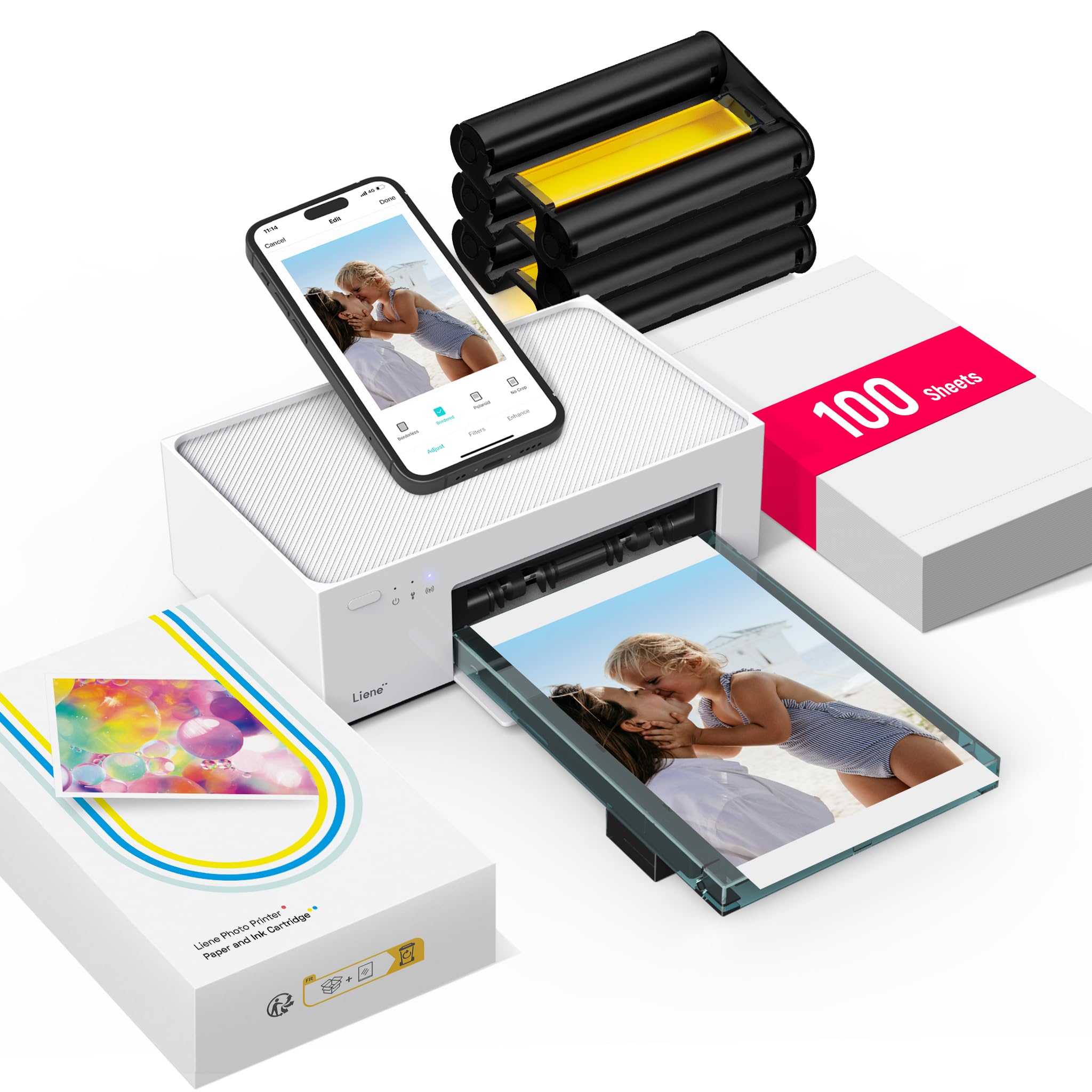
4,000+ ratings
Read Amazon ReviewsLiene M100
A fit for households and photo hobbyists who want app-guided 4×6 prints from phones or computers, with paper and cartridges included to get started.
- Thermal dye-sublimation printing produces color photos in a maximum 4×6-inch format.
- The built-in Wi-Fi hotspot allows direct phone connections without another network.
- Up to five devices can connect simultaneously; printing does not require Bluetooth.
- The Liene app provides borders, filters, brightness and contrast adjustments, and print-status checks.

Pros
- Direct hotspot printing offers a straightforward phone connection that does not depend on the home router.
- A 100-sheet paper supply and three cartridges give buyers a substantial starting set for photo printing.
Consider before buying
- The 4×6-inch maximum format rules out larger prints and means the M100 is a dedicated photo printer rather than a general document printer.
- Phone printing depends on the Liene app workflow, so buyers who prefer printing directly from a camera card or a computer-only setup should confirm that their devices and routine fit.
Read the full review summary
The M100 keeps its purpose focused: make color photo prints from a smartphone or computer, with no need to join a home network for phone printing.
Its dye-sublimation process applies color in layers and finishes with a protective laminate, while the Liene app offers basic editing such as filters, borders, brightness, and contrast adjustments.
The package includes 100 sheets of 4×6 paper and three cartridges, so buyers have supplies on hand for a batch of prints.
It is best suited to people who want physical copies of phone photos for albums, frames, or sharing at home, and who are comfortable printing through an app.
Up to five devices can connect at once, which may be useful when several family members want to send pictures.
The M100 prints only up to 4×6 inches, and the bundled supplies and app-based workflow make more sense for occasional personal photos than for users seeking a larger-format or general-purpose printer.
The buying factors
Liene M100 Scorecard
Editorial scores reflect listed features and buyer fit; they are not laboratory measurements or customer ratings.
Phone-first setup
A built-in hotspot lets a phone connect directly to the printer without relying on another network.
Print protection
The laminated dye-sublimation output is designed to resist water, scratches, fingerprints, and fading.
App editing
The app supports filters, borders, brightness, and contrast adjustments before printing.
Shared use
Up to five simultaneous connections can serve a small household or group.
Included supplies
The package includes 100 sheets of photo paper and three color cartridges.
Print-size flexibility
Its maximum media size is 4×6 inches, which suits standard snapshots but limits larger prints.
Key Features and Specifications of Liene M100
- Thermal dye-sublimation printing produces color photos in a maximum 4×6-inch format.
- The built-in Wi-Fi hotspot allows direct phone connections without another network.
- Up to five devices can connect simultaneously; printing does not require Bluetooth.
- The Liene app provides borders, filters, brightness and contrast adjustments, and print-status checks.
- The finished laminated surface is designed to resist water, scratches, fingerprints, and fading.
- The package includes 100 sheets of 4×6 photo paper, three color cartridges, and a sealed cassette intended to keep dust out.
Pros and Cons of Liene M100
Pros
- Direct hotspot printing offers a straightforward phone connection that does not depend on the home router.
- A 100-sheet paper supply and three cartridges give buyers a substantial starting set for photo printing.
- The app covers common quick edits before a print, including filters and border options.
- Support for up to five simultaneous connections makes shared use practical for a family or small group.
Consider before buying
- The 4×6-inch maximum format rules out larger prints and means the M100 is a dedicated photo printer rather than a general document printer.
- Phone printing depends on the Liene app workflow, so buyers who prefer printing directly from a camera card or a computer-only setup should confirm that their devices and routine fit.
- The cartridge is a proprietary Liene format, so ongoing printing requires compatible supplies rather than a universal cartridge.
Who Should Buy Liene M100?
Good fit
Consider the M100 if your photo library lives on phones and you want occasional standard-size prints without setting up a shared home network.
Its hotspot-based connection, app edits, and support for multiple devices make it a plausible fit for households that print from more than one phone.
The included paper and cartridges also let a buyer begin with a batch of prints instead of sourcing every supply separately.
It may also suit someone who wants a compact desktop printer for albums, gifts, or framed snapshots and values a laminated finish designed to resist common handling marks.
Check the available space for the printer and paper cassette, then confirm that a 4×6 maximum matches the sizes you actually display.
If you expect to print frequently, factor in the need for Liene-compatible cartridges and paper as the starter set runs out.
Who should skip it
Look elsewhere if you need prints larger than 4×6 inches, or if you want one machine for routine documents as well as photos; the M100 is a print-only photo device with a defined snapshot format.
It is also a less natural fit if your preferred process avoids a dedicated phone app or proprietary cartridges.
Before buying, confirm that your devices can use the app and that replenishing compatible paper and cartridges works for your plans.
How the Liene M100 fits a phone-photo routine
A direct connection for phone printing
The M100's built-in hotspot gives phones a direct route to the printer, avoiding dependence on an existing Wi-Fi network.
That can simplify printing in a home where network access is inconvenient or when several people want to send photos; up to five simultaneous connections are supported.
The connection model is specific to the printer's workflow, so buyers should check that their preferred devices and app use fit before settling on it.
A focused format for albums and frames
With a maximum media size of 4×6 inches, the M100 targets familiar snapshot prints rather than posters or larger framed pictures.
That size is easy to put in albums or share, but the fixed format matters if you regularly crop and print at different dimensions.
The app's borders and filters can change presentation, while the physical output remains within the printer's stated maximum size.
What the layered print process means
Dye-sublimation printing lays down color in stages and adds a laminated surface. The design is intended to help prints withstand water, scratches, fingerprints, and fading, which can be useful for pictures that will be handled or displayed.
These are design benefits rather than a reason to leave prints exposed to harsh conditions; buyers should still store keepsakes thoughtfully.
Supplies and upkeep
The 100-sheet bundle and three cartridges provide a ready-to-use starting point, and the sealed cassette is intended to limit dust exposure.
The consumables are tied to Liene's compatible cartridge format, so future supply availability and cost are sensible considerations for a regular printing habit.
The product guidance also says to clean the print head promptly if smudges appear, a practical maintenance step to keep in mind.
Alternatives to Liene M100
Desktop Photo Printers alternative
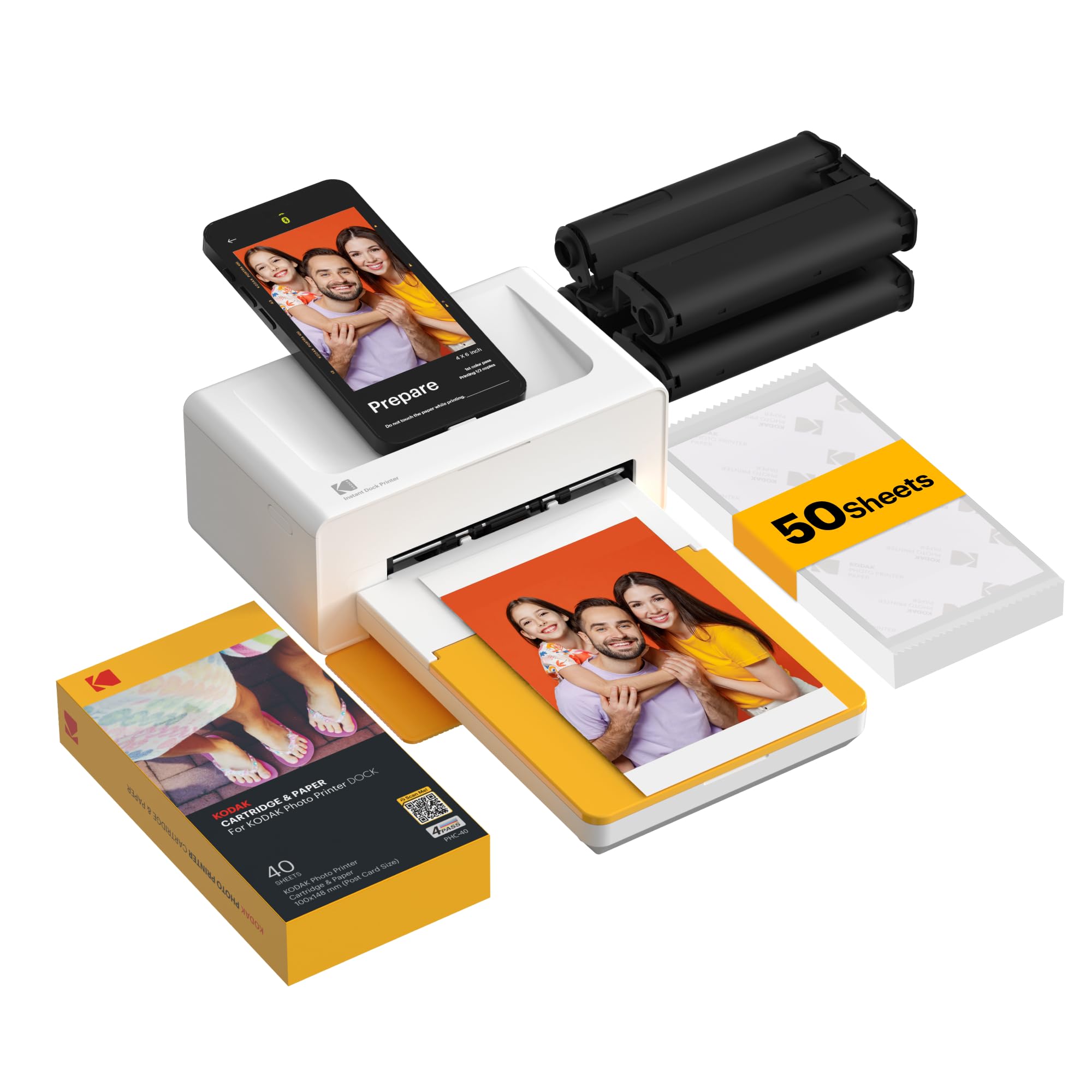
19,000+ ratings
Read Amazon ReviewsKODAK Dock Plus 4×6 Photo Printer
Choose between these based on how you want to connect and use the printer.
The M100 is a stronger match when direct hotspot connection and a larger included paper supply matter; the Dock Plus is worth considering if a physical phone dock and Bluetooth workflow are more appealing.
- The KODAK Dock Plus uses Bluetooth with compatible iOS and Android phones and has an integrated docking station that can charge a phone while it is positioned on the printer.
- It prints 4×6 photos using 4PASS dye sublimation and includes 50 sheets.
- The Liene M100 connects through its built-in Wi-Fi hotspot, supports up to five simultaneous devices, and includes 100 sheets of 4×6 paper.
Battery-focused alternative
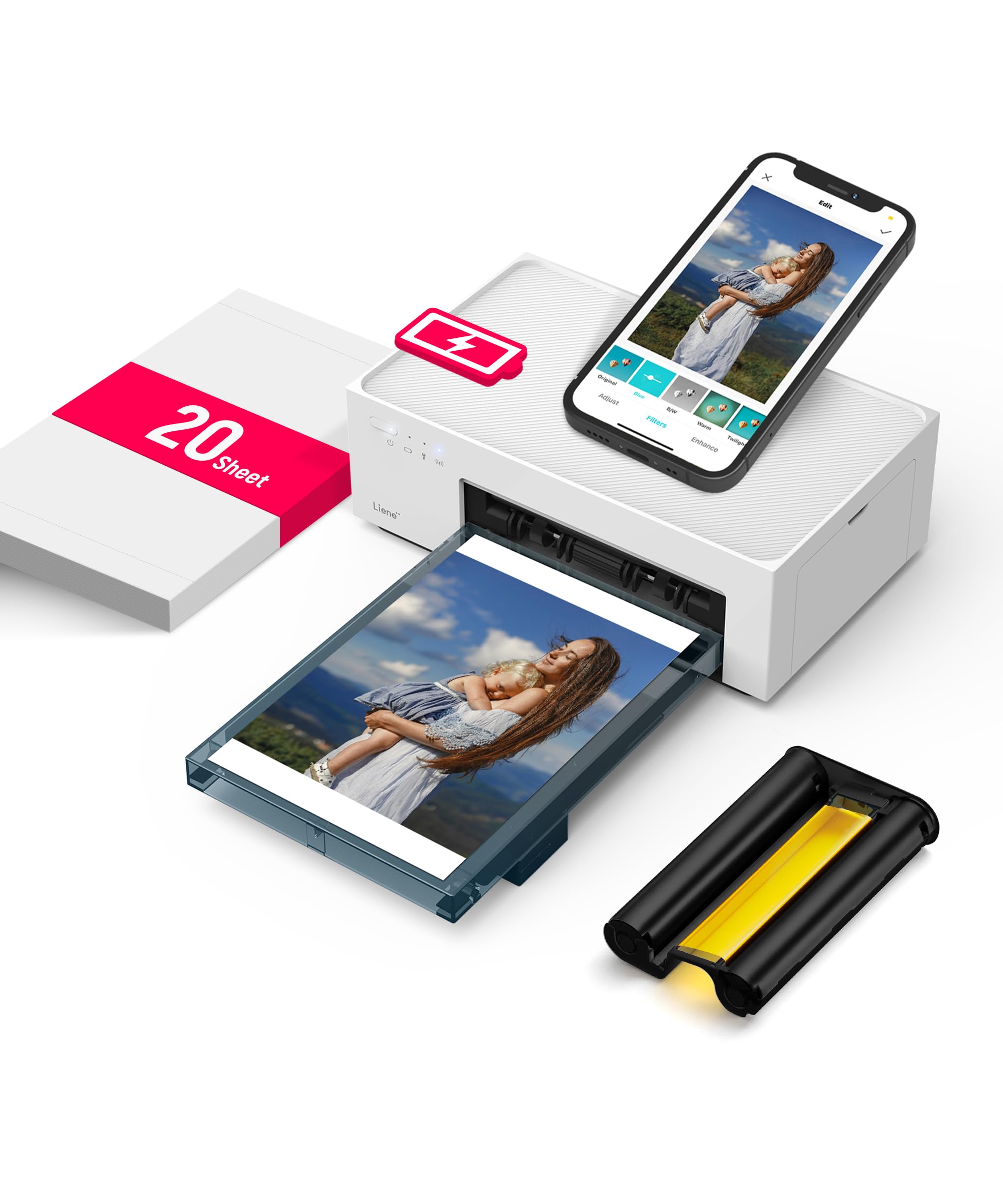
500+ ratings
Read Amazon ReviewsLiene M200 Battery Edition
The M200 is the more relevant alternative for buyers who want to print away from a power outlet and are comfortable with a smaller included supply.
For a mainly stationary setup where the 100-sheet bundle is useful, the M100 better matches that routine.
- The Liene M200 Battery Edition has a rechargeable built-in battery and is described as capable of up to 40 prints per charge.
- Its included set has 20 sheets and one cartridge.
- The M100 is designed around an outlet-powered setup and includes a 100-sheet 4×6 starter supply.
Is Liene M100 Worth It?
The Liene M100 is worth considering if you want a dedicated 4×6 printer for phone photos, appreciate direct hotspot connections, and expect to make use of the included paper and cartridges.
Its editing app and multi-device support add convenience for casual shared printing, while the laminated dye-sublimation output is designed for photos that will be handled or displayed.
Buy it with a clear idea of the format and supply commitment: it does not print larger than 4×6, and future cartridges need to be Liene-compatible.
If those limits match your photo routine, the M100 presents a focused home-printing option; if portability away from power or a phone dock matters more, compare alternatives with those specific features.
Your review at a glance
4,000+ ratings
Read Amazon ReviewsLiene M100
A fit for households and photo hobbyists who want app-guided 4×6 prints from phones or computers, with paper and cartridges included to get started.
- Thermal dye-sublimation printing produces color photos in a maximum 4×6-inch format.
- The built-in Wi-Fi hotspot allows direct phone connections without another network.
- Up to five devices can connect simultaneously; printing does not require Bluetooth.
- The Liene app provides borders, filters, brightness and contrast adjustments, and print-status checks.