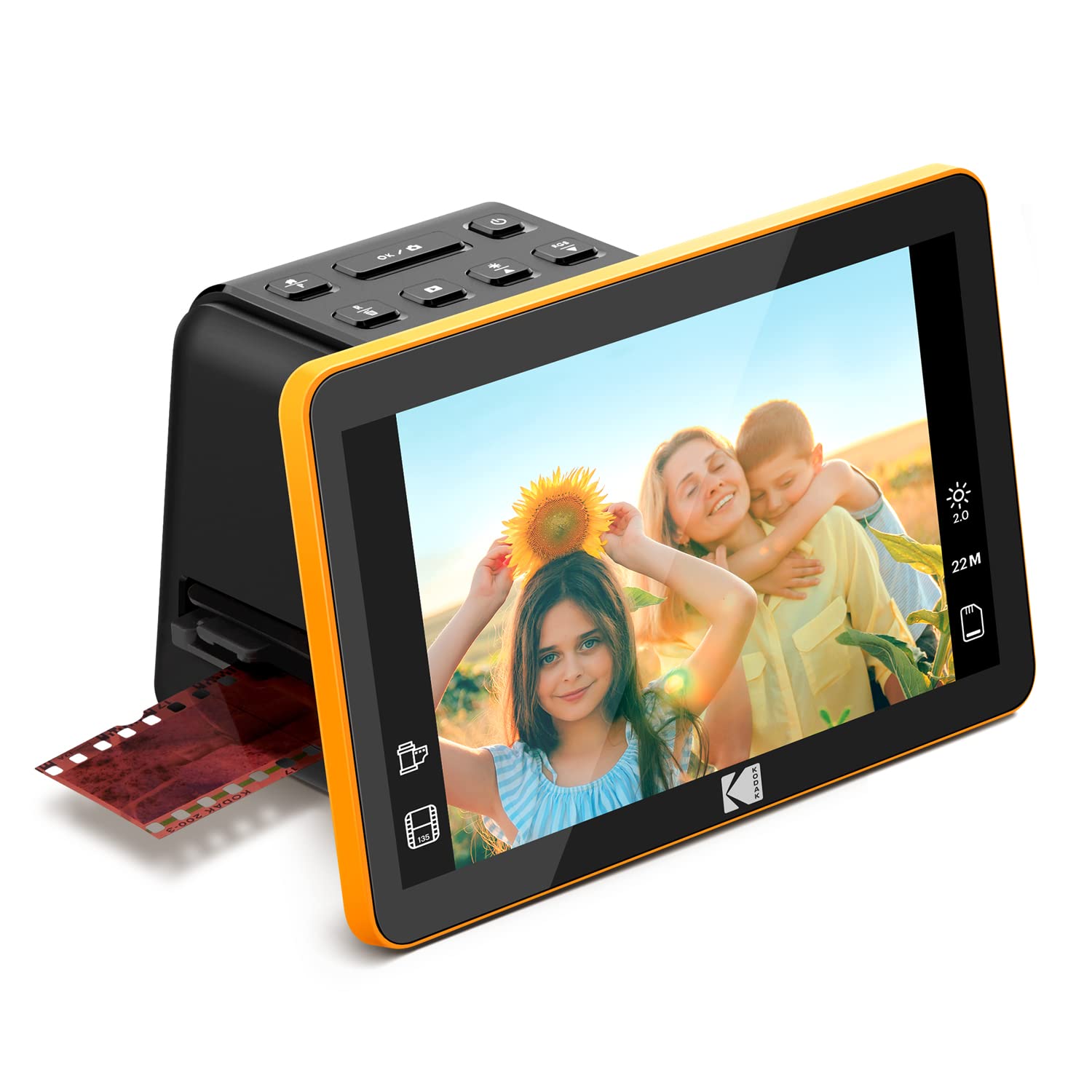
The KODAK Slide N Scan Max is designed for people who want to turn a collection of slides and negatives into digital files without building a computer-centered scanning setup.
This kodak slide n scan max review looks at its film-format support, direct SD saving, and resolution options to help you decide whether its streamlined workflow fits your archive.
KODAK Slide N Scan Review Summary
The quick verdict
1,000+ ratings
Read Amazon ReviewsKODAK Slide N Scan Max
A compact option for film owners who want to digitize common slides and negatives directly to an SD card with simple on-device editing.
- Handles 135, 110, and 126 film formats, including slides and color or black-and-white negatives.
- Saves scans directly to SD or SDHC cards with capacities up to 32GB, without requiring a computer for that workflow.
- Uses a 13MP CMOS sensor and supports capture resolution up to 4208 × 3120, with 22MP interpolation.
- A smooth-moving tray is designed to feed film with less need for constant repositioning.

Pros
- Direct memory-card saving gives users a simple route from film to stored digital files.
- Support for three common film formats makes it useful for mixed family archives.
Consider before buying
- The supported card capacity tops out at 32GB, so buyers with larger archives may need to plan for card changes and file transfer.
- Windows 7 is the listed minimum system requirement; anyone depending on a newer or non-Windows computer should confirm USB compatibility for their setup.
Read the full review summary
The Slide N Scan Max supports 135, 110, and 126 film, including slides and color or black-and-white negatives.
It saves directly to an SD or SDHC card up to 32GB, and its smooth-moving tray is intended to make sequential scanning less dependent on repositioning each frame.
A 13MP CMOS sensor captures images at up to 4208 × 3120, with 22MP interpolation available.
This design is best suited to home users who value a self-contained digitizing routine and straightforward image adjustments over a more involved scanning workflow.
Its one-touch editing is described as a way to resize, convert, and adjust images without complex menus. Before buying, confirm that your film formats, computer operating system, and desired storage capacity align with the scanner’s stated support.
The buying factors
KODAK Slide N Scan Scorecard
Editorial scores reflect listed features and buyer fit; they are not laboratory measurements or customer ratings.
Film format coverage
Supports 135, 110, and 126 film, with both slides and color or black-and-white negatives covered.
Standalone saving
Direct SD or SDHC saving up to 32GB lets the scanning workflow avoid a computer.
Image capture options
The 13MP CMOS sensor offers capture up to 4208 × 3120, with 22MP interpolation.
Ease of operation
A moving tray and one-touch editing are aimed at reducing repetitive handling and menu complexity.
Editing flexibility
The described editing covers resizing, converting, and adjusting images, but does not detail a broader correction toolkit.
Computer compatibility clarity
Windows 7 is listed as a minimum system requirement; buyers using other systems should confirm compatibility before relying on USB.
Key Features and Specifications of KODAK Slide N Scan
- Handles 135, 110, and 126 film formats, including slides and color or black-and-white negatives.
- Saves scans directly to SD or SDHC cards with capacities up to 32GB, without requiring a computer for that workflow.
- Uses a 13MP CMOS sensor and supports capture resolution up to 4208 × 3120, with 22MP interpolation.
- A smooth-moving tray is designed to feed film with less need for constant repositioning.
- One-touch capture software supports resizing, converting, and adjusting images through a simplified menu approach.
- The unit measures 6.69 inches deep, 5.35 inches wide, and 4.45 inches high, and weighs 16 ounces.
Pros and Cons of KODAK Slide N Scan
Pros
- Direct memory-card saving gives users a simple route from film to stored digital files.
- Support for three common film formats makes it useful for mixed family archives.
- It accommodates both slide film and color or black-and-white negatives.
- The tray and simplified editing aim to make repetitive home scanning less fiddly.
Consider before buying
- The supported card capacity tops out at 32GB, so buyers with larger archives may need to plan for card changes and file transfer.
- Windows 7 is the listed minimum system requirement; anyone depending on a newer or non-Windows computer should confirm USB compatibility for their setup.
- The listed resolution includes interpolation, so buyers comparing output should distinguish the 13MP sensor from the 22MP interpolated figure.
Who Should Buy KODAK Slide N Scan?
Good fit
Consider the Slide N Scan Max if your archive is mostly 135, 110, or 126 slides and negatives and you want to save scans straight to a memory card.
That approach can keep the basic capture process compact and convenient, especially when you would rather avoid making a computer part of every scan.
It is also a reasonable fit if you prefer guided, simple adjustments such as resizing and converting instead of navigating complex menus.
Check your film formats and card capacity against the collection before committing, and confirm computer compatibility if you plan to use USB.
Who should skip it
Skip this model if your collection depends on film formats beyond 135, 110, and 126, or if a 32GB maximum card capacity would complicate your archive workflow. The described support does not establish compatibility with other formats.
Look elsewhere if your process depends on a computer operating system other than the listed Windows 7 minimum and you cannot first confirm that the USB connection works with your setup.
How the KODAK Slide N Scan Fits a Home Film Archive
A practical format range for mixed family collections
Support for 135, 110, and 126 film gives the scanner a useful range for collections gathered across different cameras and eras.
It handles slides as well as color and black-and-white negatives, so owners can approach several kinds of originals with one device. Buyers should still check the format of their actual film before starting a large batch.
A less computer-dependent capture routine
Direct SD and SDHC saving is one of the most useful design choices for users who want a straightforward transfer process.
The stated 32GB ceiling is a planning constraint for large projects: estimate how much card space your archive needs and whether moving files off the card between sessions is acceptable.
USB is also listed, but the minimum system requirement names Windows 7, so confirm compatibility for the computer you intend to use.
Interpreting the resolution figures
The scanner combines a 13MP CMOS sensor with output up to 4208 × 3120 and 22MP interpolation.
These figures describe different parts of the output process, so the interpolated number should not be treated as the sensor’s native pixel count.
If you plan to enlarge or heavily crop scans, consider testing a few representative frames before digitizing the full collection.
Simple adjustments for everyday archiving
One-touch editing is described for resizing, converting, and adjusting images, while the moving tray is meant to ease film feeding. That combination points toward a home archiving tool focused on a clear, repeatable routine.
Buyers who expect extensive fine control should review the available editing options before relying on it for demanding restoration work.
Alternatives to KODAK Slide N Scan
Slide & Negative Scanners alternative
12,000+ ratings
Read Amazon ReviewsKODAK Slide N Scan Film & Slide Scanner
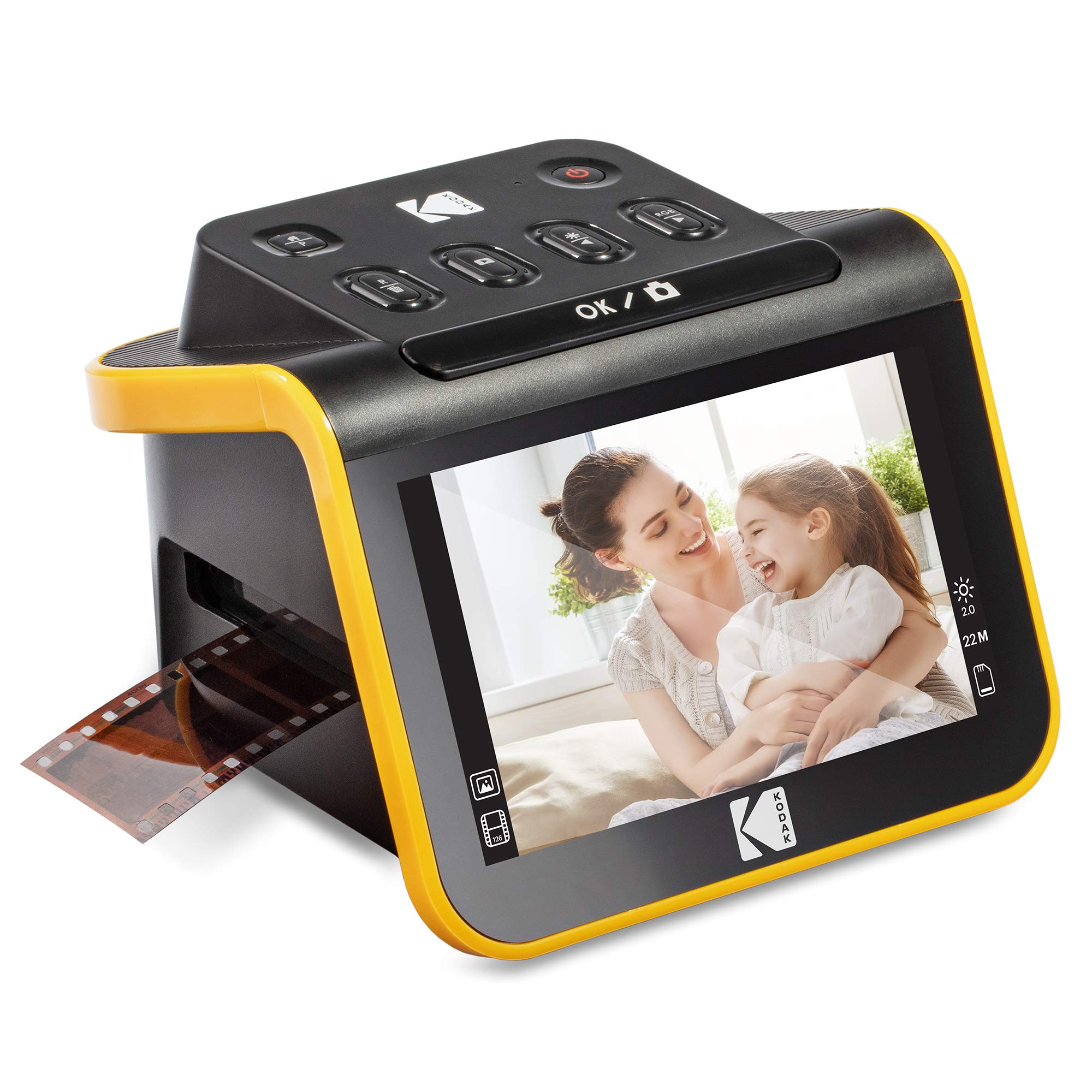
Choose the Max if its moving-tray design and stated capture resolution suit your priorities. Consider this model if a built-in 5-inch preview screen and included film adapters are more useful in your scanning routine.
- This Slide N Scan model has a 5-inch LCD with gallery mode, supports 135, 110, and 126 film plus 50mm slides, and includes adapters, a cleaning brush, USB and HDMI cables.
- It supports SD or SDHC cards up to 32GB.
- The Slide N Scan Max supports direct SD or SDHC saving up to 32GB and lists capture up to 4208 × 3120 with 22MP interpolation.
Slide & Negative Scanners alternative
11,000+ ratings
Read Amazon ReviewsKODAK SCANZA Film & Slide Scanner
The Max is a more direct fit if your archive is limited to its three supported formats and you value its stated direct SD workflow.
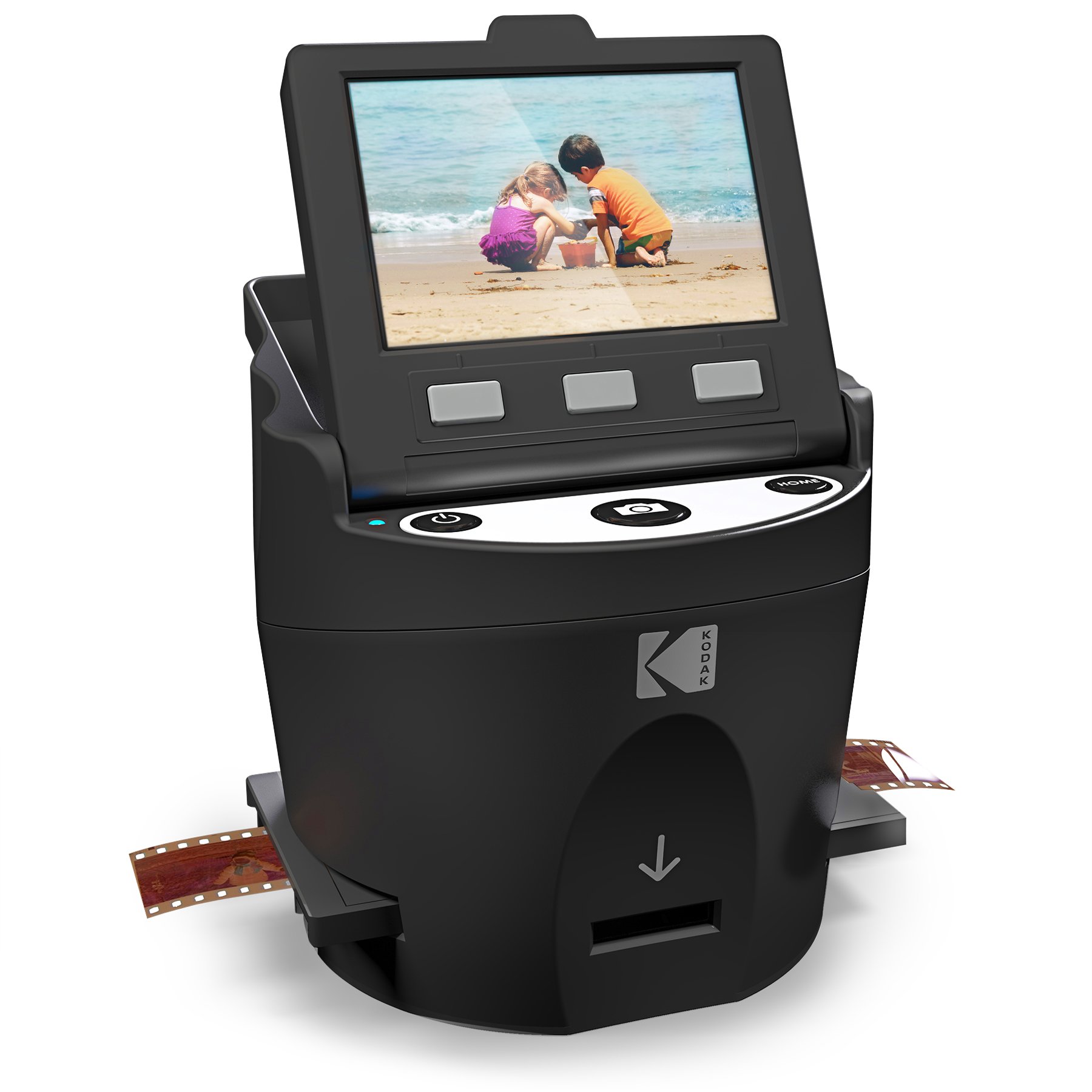
The SCANZA is the stronger match for buyers who need Super 8 or 8mm support, a built-in adjustable display, or higher stated card capacity.
- The SCANZA supports 35mm, 126, 110, Super 8, and 8mm film, and has a tilting 3.5-inch LCD with adjustable brightness.
- It supports SD cards up to 128GB and includes film inserts, adapters, and a cleaning brush.
- The Slide N Scan Max covers 135, 110, and 126 film and saves to SD or SDHC cards up to 32GB.
Is KODAK Slide N Scan Worth It?
The KODAK Slide N Scan Max is worth considering for a home film archive built around 135, 110, and 126 slides or negatives.
Direct memory-card saving, a moving tray, and simplified editing give it a clear, approachable role for routine digitizing.
Its best fit depends on whether the 32GB card limit and listed computer requirement work for your setup.
Keep the 13MP sensor and 22MP interpolated output distinction in mind, and confirm your formats and compatibility before choosing it for a large or specialized collection.
Your review at a glance
1,000+ ratings
Read Amazon ReviewsKODAK Slide N Scan Max
A compact option for film owners who want to digitize common slides and negatives directly to an SD card with simple on-device editing.
- Handles 135, 110, and 126 film formats, including slides and color or black-and-white negatives.
- Saves scans directly to SD or SDHC cards with capacities up to 32GB, without requiring a computer for that workflow.
- Uses a 13MP CMOS sensor and supports capture resolution up to 4208 × 3120, with 22MP interpolation.
- A smooth-moving tray is designed to feed film with less need for constant repositioning.