The FIFINE AmpliGame SC3 puts microphone, line-in, headphone, and line-out controls on a compact desktop mixer for streaming and voice recording.
This fifine audio mixer sc3 review looks at how its XLR input, physical fader, monitoring, and effects suit a creator’s setup.
AmpliGame SC3 Review Summary
The quick verdict
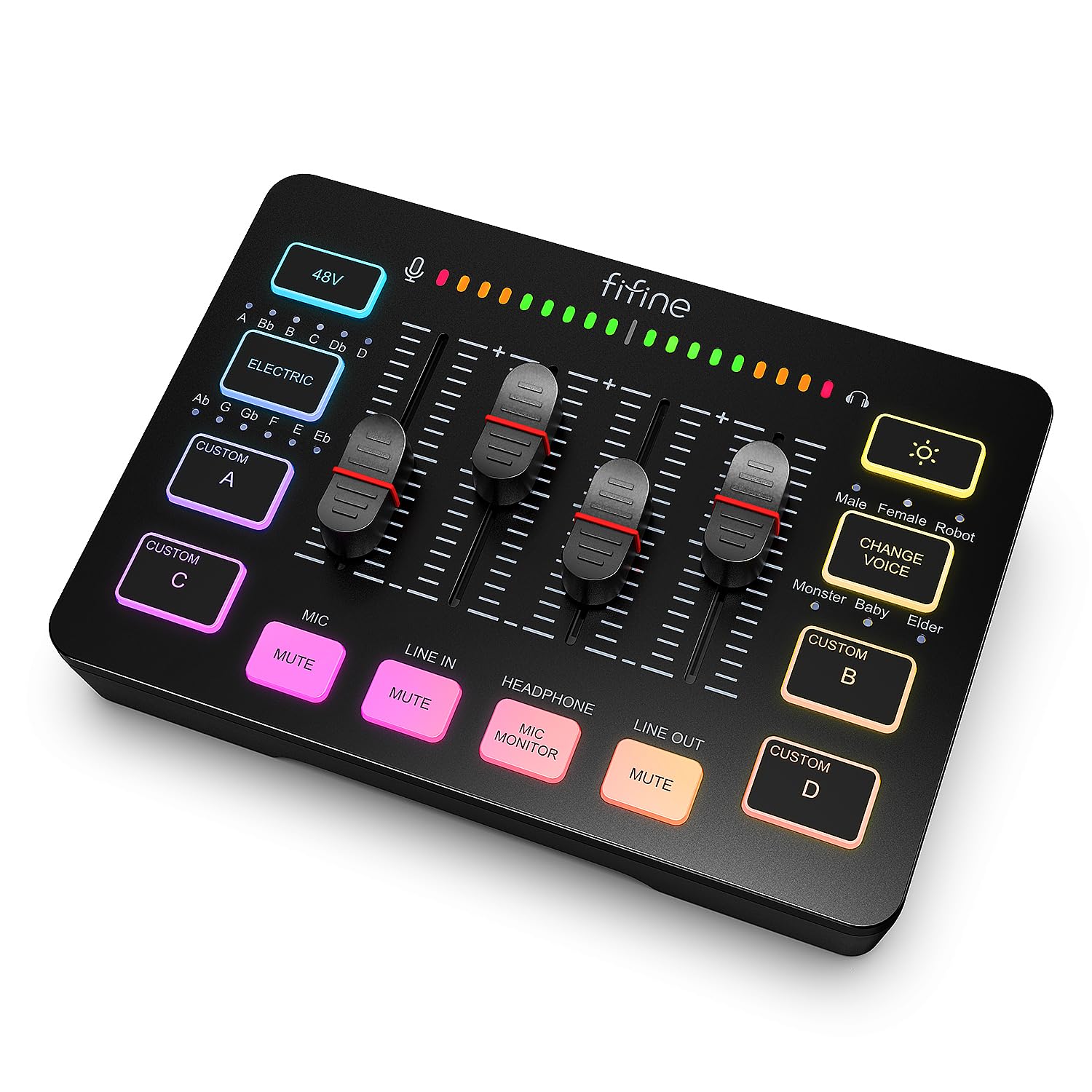
4,000+ ratings
Read Amazon ReviewsFIFINE AmpliGame SC3
A useful fit for streamers moving to an XLR microphone who want hands-on control of mic, line, and headphone levels plus built-in sound effects.
- One XLR microphone input with built-in 48V phantom power for compatible condenser microphones.
- Four independently adjustable channels: microphone, line-in, headphones, and line-out.
- A smooth physical volume fader, plus front-facing mute and real-time monitor buttons.
- Four customizable buttons for recorded sounds, alongside six voice-changing modes and 12 auto-tune changes.

Pros
- Provides direct, separate level adjustment for microphone, line-in, headphone, and line-out channels.
- Puts mute and monitoring controls on the front for convenient access while speaking.
Consider before buying
- The described microphone input is XLR; USB microphones are not supported.
- The XLR cable is not included, so an XLR mic setup requires a suitable cable.
Read the full review summary
The SC3 is built around one XLR microphone input and four independently controlled audio channels, with a slider for physical level adjustment.
Its front mute and monitor buttons, customizable sound buttons, voice effects, and RGB lighting make it especially oriented toward game chat and livestream use.
It may suit a new or casual streamer who wants to adjust several audio paths at the desk and is ready to use an XLR microphone.
The supplied details describe USB-C computer connection and a 3.5 mm line-in path, but do not establish every routing or software option; check that your intended devices and workflow match the ports before buying.
The buying factors
AmpliGame SC3 Scorecard
Editorial scores reflect listed features and buyer fit; they are not laboratory measurements or customer ratings.
Hands-on level control
Four channels have separate volume control, including a physical slider for the microphone.
Live-use controls
Front-panel mute and monitoring buttons support quick access during a stream or recording.
Microphone flexibility
An XLR input and built-in 48V phantom power broaden mic options, though the design is centered on one microphone input.
Creative effects
Four customizable sound buttons, six voice-changing modes, and 12 auto-tune changes offer ways to add variety.
Setup versatility
USB-C computer connection and 3.5 mm line-in support common streaming and audio-mixing arrangements, with details advising buyers to check connections.
Visual customization
Selectable flowing or fixed RGB lighting adds a customizable look to a streaming desk.
Key Features and Specifications of AmpliGame SC3
- One XLR microphone input with built-in 48V phantom power for compatible condenser microphones.
- Four independently adjustable channels: microphone, line-in, headphones, and line-out.
- A smooth physical volume fader, plus front-facing mute and real-time monitor buttons.
- Four customizable buttons for recorded sounds, alongside six voice-changing modes and 12 auto-tune changes.
- RGB lighting with flowing or fixed color rotation options.
- USB-C connection to a computer and a 3.5 mm line-in connection for a compatible phone, tablet, or other audio device; the mixer is described as plug and play with Windows and Mac OS.
Pros and Cons of AmpliGame SC3
Pros
- Provides direct, separate level adjustment for microphone, line-in, headphone, and line-out channels.
- Puts mute and monitoring controls on the front for convenient access while speaking.
- Combines phantom power, voice effects, and programmable sound buttons in one streaming-focused device.
- Supports a two-computer setup or audio mixing, with USB-C and 3.5 mm connection options described.
Consider before buying
- The described microphone input is XLR; USB microphones are not supported.
- The XLR cable is not included, so an XLR mic setup requires a suitable cable.
- The design is aimed at one-mic streaming and desktop audio control; buyers needing a broader recording console should confirm the channel count and routing meet their plans.
Who Should Buy AmpliGame SC3?
Good fit
Consider the AmpliGame SC3 if you are setting up a stream or voice-recording station around an XLR microphone and want tactile adjustment without relying only on software controls.
Separate level controls can make it easier to make quick changes to the mic, line-in, headphones, and line-out paths during a session.
Its front mute and monitor buttons make sense for live speaking, while the soundboard buttons and voice effects provide creative options for chat or short-form content.
The built-in phantom power is useful if your chosen condenser microphone needs it; check the microphone’s requirements and have an XLR cable ready.
Before choosing it, map your audio sources to its mic, line-in, headphone, and line-out connections. If your setup uses USB microphones or depends on a particular routing arrangement, verify compatibility with those requirements first.
Who should skip it
Skip this model if your current microphone is USB and you do not plan to switch to an XLR microphone. The described mixer is not available for USB mics.
Look elsewhere if you need a mixer for multiple microphone inputs or a more extensive recording workflow; the described configuration centers on one XLR mic and four controlled audio channels.
How the AmpliGame SC3 Fits a Streaming Setup
Channel controls for desk-side adjustment
The SC3 separates microphone, line-in, headphone, and line-out volume controls. That layout gives a streamer direct access to several audio levels from the mixer, while the mic slider offers a physical control for a common adjustment.
Buyers should still check how their specific computer, headset, and other sources connect, since the available details do not spell out every possible routing setup.
XLR input and microphone planning
A single XLR input with 48V phantom power makes the SC3 relevant to creators moving from a basic computer mic to an XLR setup.
Phantom power can support compatible condenser microphones, but the microphone itself and its cable remain part of the setup.
The product details specifically exclude USB microphones, so existing mic choice is a key factor in deciding whether this mixer fits.
Live monitoring and quick actions
Front-facing mute and monitoring buttons are practical for live sessions where a creator may need to silence the mic or listen to the input without reaching behind the unit.
Four customizable sound buttons add quick playback options, and the listed voice-changing and auto-tune modes offer additional effects. Treat those as creative tools rather than substitutes for a particular recording or editing workflow.
Connections and visual presentation
USB-C connects the mixer to a computer, while a 3.5 mm cable can bring audio from a compatible device into line-in.
The supplied details describe Windows and Mac OS use and two-computer arrangements, though buyers should confirm their exact connection plan in advance.
RGB controls are a visual extra that can coordinate with a streaming space, but the core buying decision is whether its inputs and physical controls match the audio setup.
Alternatives to AmpliGame SC3
DJ Mixers alternative
4,000+ ratings
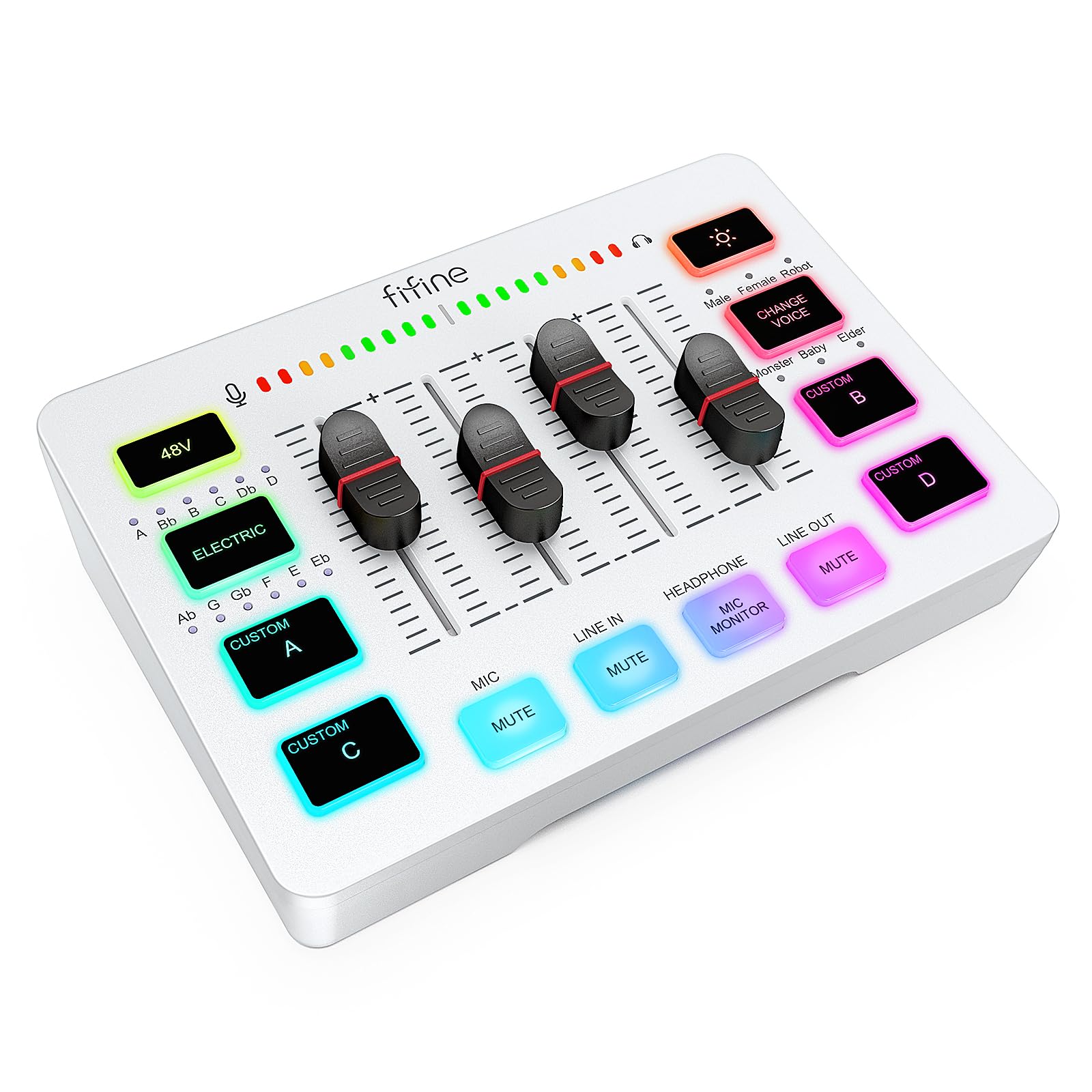
Read Amazon ReviewsFIFINE AmpliGame SC3W
Consider the SC3W if its stated control and effect set matches your needs and you prefer that model’s listed configuration.
The supplied descriptions show substantial overlap, so compare the connection details and physical layout for your setup before choosing between them.
- The SC3W description also identifies four individual controls, XLR input with 48V phantom power, mute and real-time monitoring, and entertainment-oriented RGB and sound effects.
- The AmpliGame SC3 has four independently controlled audio channels, an XLR microphone input with built-in phantom power, front mute and monitoring, and sound effects.
DJ Mixers alternative
300+ ratings
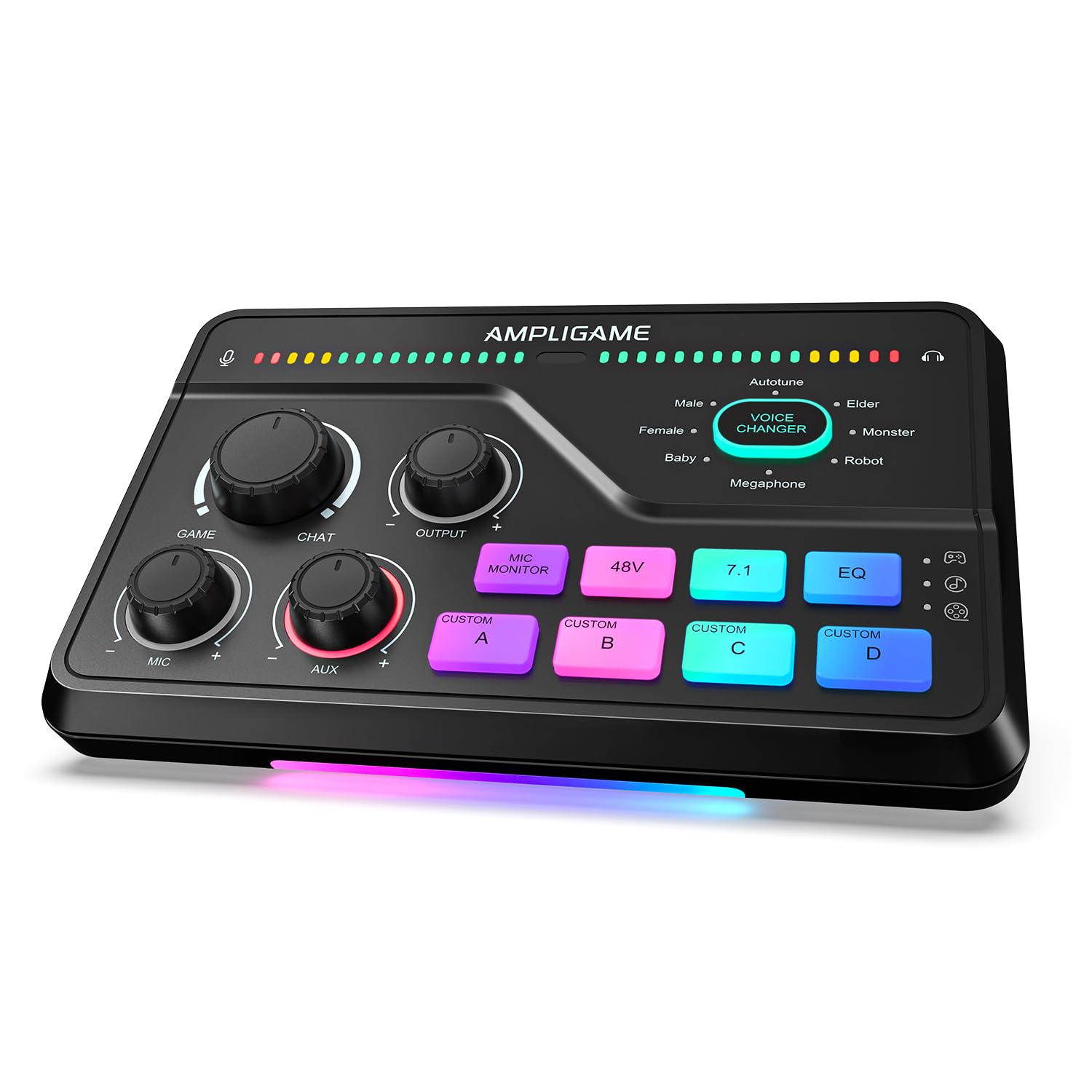
Read Amazon ReviewsFIFINE AmpliGame SC8
Choose the SC8 for a gaming-focused setup if its listed game/chat dial, surround modes, and additional connection options are more useful than the SC3’s slider-based four-channel controls.
The SC3 is the closer fit if those added gaming features are unnecessary and its specific channel controls suit your streaming routine.
- The SC8 description adds virtual 7.1 surround, three EQ presets, a game/chat balance dial, optical AUX, and support for XLR or 6.35 mm microphones, alongside USB-C connectivity and customizable sound buttons.
- The SC3 centers on four independently controlled channels, a slider fader, one XLR mic input, and front mute and monitor buttons.
Is AmpliGame SC3 Worth It?
The FIFINE AmpliGame SC3 is worth considering as a hands-on mixer for a compact streaming or voice-recording desk, especially if you use an XLR microphone and want separate controls for mic, line, headphone, and output levels.
Its mute, monitoring, and sound-effect controls are tailored to interactive sessions.
Buy only after confirming that your microphone and connection plan fit its XLR-centered design, and account for the separate XLR cable.
If your setup depends on a USB mic, multiple mic inputs, or more elaborate routing, this configuration is unlikely to be the right match.
Your review at a glance
4,000+ ratings
Read Amazon ReviewsFIFINE AmpliGame SC3
A useful fit for streamers moving to an XLR microphone who want hands-on control of mic, line, and headphone levels plus built-in sound effects.
- One XLR microphone input with built-in 48V phantom power for compatible condenser microphones.
- Four independently adjustable channels: microphone, line-in, headphones, and line-out.
- A smooth physical volume fader, plus front-facing mute and real-time monitor buttons.
- Four customizable buttons for recorded sounds, alongside six voice-changing modes and 12 auto-tune changes.